Loading

Restart the printer

Introduction

You can restart the printer via the operator panel.

You might be asked to restart the system to activate settings, or in case of a software issue it might help to restart the system.

Procedure

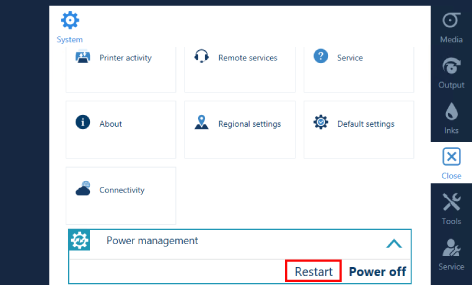
  1. On the operator panel, tap the [System]  icon on the right.
  2. Tap on [Power management] .
  3. Tap on [Restart] .
  4. The printer will start up automatically.