
The ClearConnect is the multi-touch user panel of the printer.
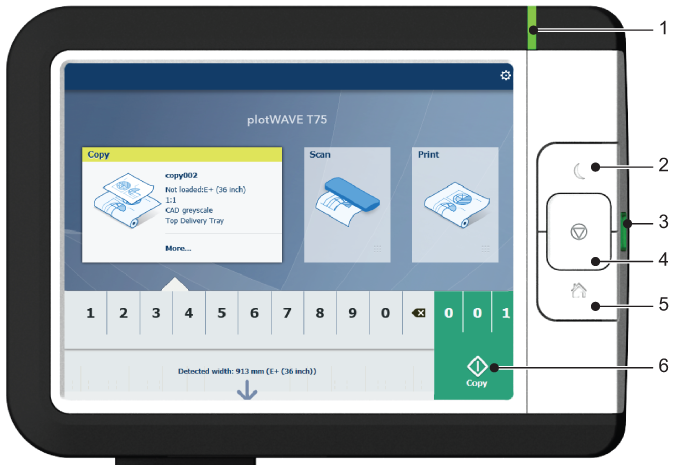
|
No. |
Component |
Function |
|---|---|---|
|
1. |
[status light] |
Light that gives feedback on the status of the printer.
More detailed information about the status of the printer is displayed on the ClearConnect user panel. |
|
2. |
[wake-up button] |
Button to:
|
|
3. |
[USB port] |
Insert a USB key to:
The port green light starts to blink during data transfer. |
|
4. |
[stop button] |
Button, with a red light, to:
|
|
5. |
[home button] |
Button to:
|
|
6. |
[green button] (touch) |
Dynamic tile on the user panel display to:
|