
 Document print jobs
Collaterals, books, and manuals are typical applications of the document printing mode. The document printing mode fits print environments with a wide range of PDF print applications.
When the printer is in the document printing mode there are several locations from where you can submit jobs to the printer: the remote printer driver, PRISMAprepare, PRISMAremote Manager, hotfolders, and the LPR channel.
The following illustration shows the document print job workflow from the job preparation to the delivery of the prints.
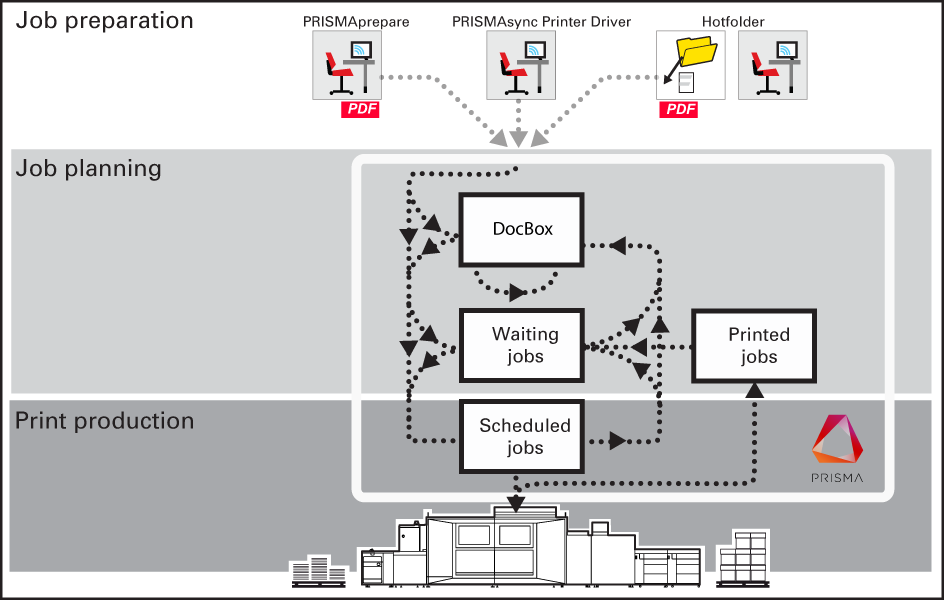
Job preparation
You can use PRISMAprepare, the remote printer driver, LPR, or hotfolders to submit jobs. The PDF documents can be created with specific graphical or office applications.
Job planning
Print jobs are visible on the control panel: in the list of waiting jobs, the list of scheduled jobs, or a DocBox folder. The job properties determine the destination of the job. Job properties can be changed when the job arrives at the destination.
Print production
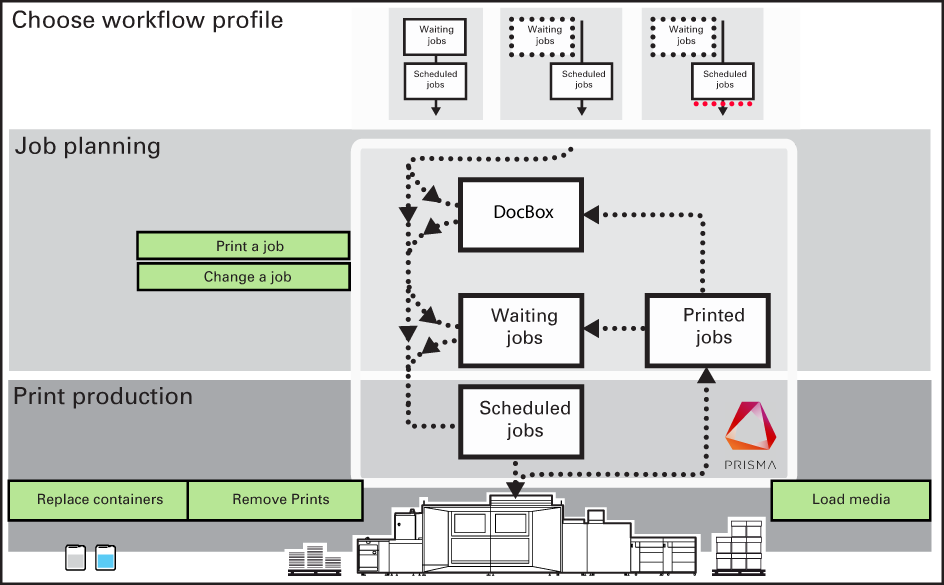
The printer prints the jobs according to the job sequence in the list of scheduled jobs. Job media are loaded in the paper trays, prints and waste are removed in time and there are sufficient supplies of consumables in the printer. Printed jobs come in the list of printed jobs from where they can be reprinted.
Below you find an overview of the print production tasks.
The following illustration shows the document print job workflow when PRISMAremote Manager and PRISMAsync printers are used.
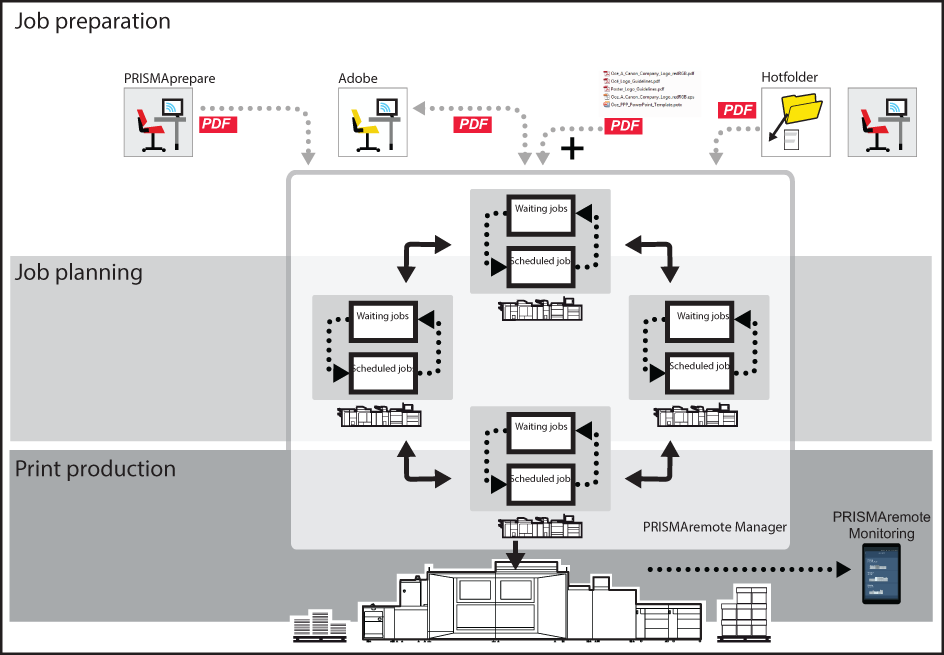
In addition to the basic workflow, PRISMAremote Manager and PRISMAremote Monitoring offer the following.
Job preparation across the printer fleet
You can add, import, and export PDF jobs with PRISMAremote Manager.
Job planning across the printer fleet
PRISMAremote Manager displays the print queues of the PRISMAsync printers. The print order across the print fleet can be centrally managed. You can change job properties in Remote Manager.
In addition, you can upload, import and export PDF jobs.
Print production across the printer fleet
With the PRISMAremote Monitoring app and PRISMAremote Manager you monitor the print production of the PRISMAsync printers remotely.