
To print on rigid media, attach the tables to the printer. There are two tables: one on the input side, and one on the output side of the printer.
|
1 |
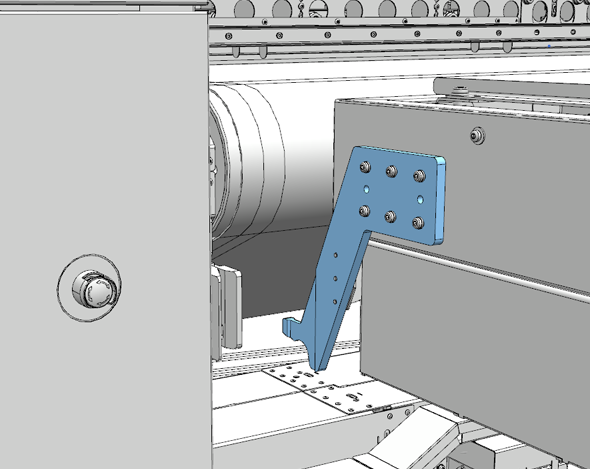
Carefully move the table towards the printer, with about 10 cm (4 inch) between the table and the printer. Make sure the hooks of the table face towards the printer. |
|
|
2 |
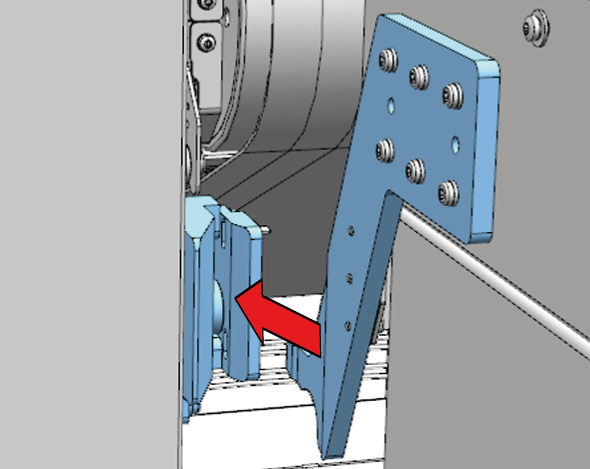
Make sure the hooks of the table are lined up with the corresponding slots on the printer. |
|
|
3 |
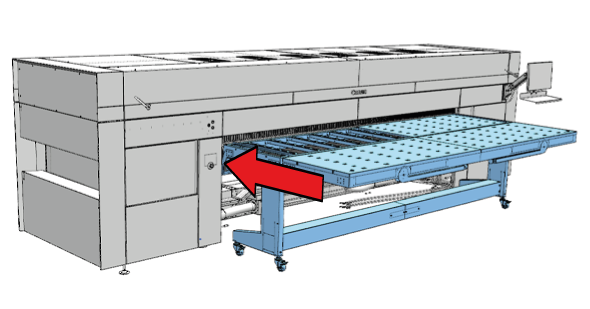
Push the back of the table from one side to slide the first hook into its slot. |
|
|
4 |
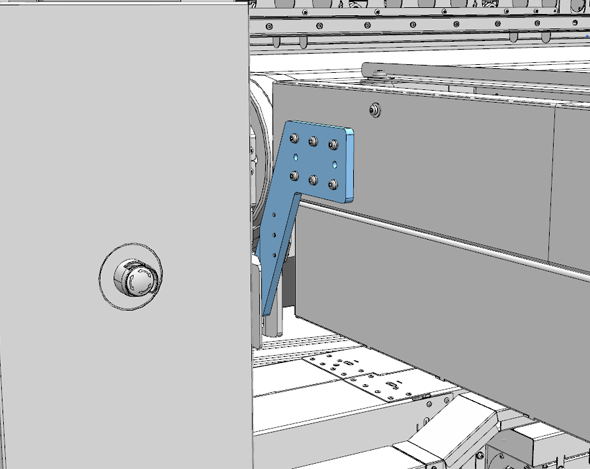
Make sure the hook is placed correctly. |
|
|
5 |
Repeat for the other side of the table. |
|
|
6 |
Repeat for the other table. |