
When the Z-sensors in the registration input and print module are polluted, an action required window appears on the control panel.
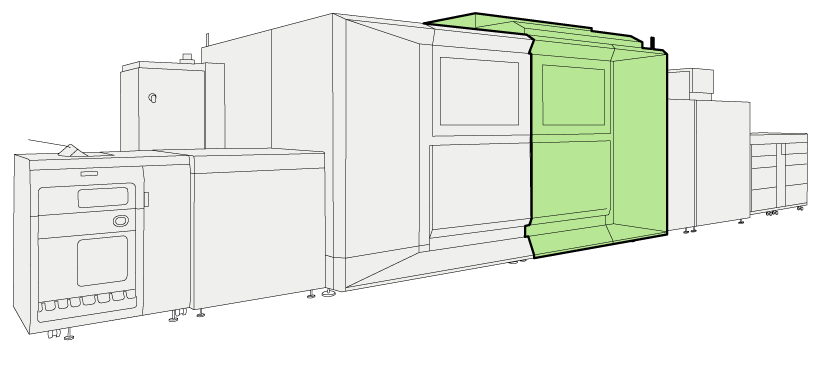 Location of the registration input module
You need cleaning cloths to clean the Z-sensors (Alphawipe pads Texwipe TX1004).
The instruction video for this maintenance action is available, see Clean the Z-sensors in the registration input module (Z2).
|
Action |
|||
|---|---|---|---|
|
1 |
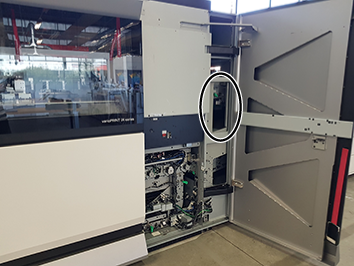
Open the right door of the print module. The location of z-sensor (2) is indicated in the picture. |
|
|
|
2 |
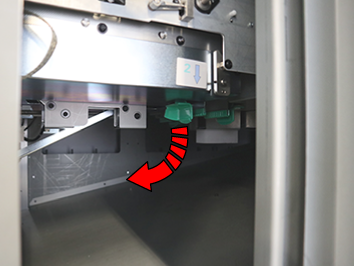
Squeeze the green handle together to open the paper guide. |
|
|
|
3 |
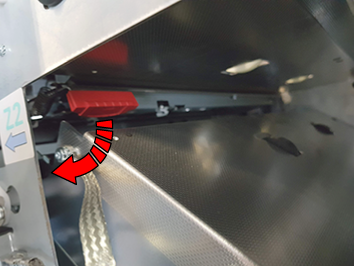
Use the red handle to open and hold the Z-sensor unit. |
|
|
|
4 |
 NOTE NOTE
You cannot easily get access to these Z-sensors. |
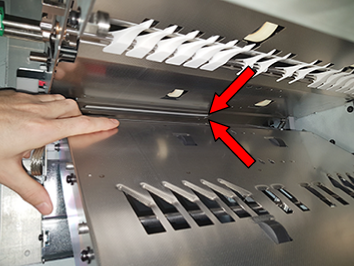
|
|
|
5 |
Gently close the Z-sensor unit. |
||
|
6 |
Use the green handle to close the paper guide. |
||
|
7 |
Close the front door of the print module. |
||
Dispose the used cleaning cloths.