
The e-box filter keeps the electronic parts of the printer free of dust. The user interface gives a warning when you must replace the e-box filter.
Use Colorado XL-series prescribed:
Microflex gloves for handling UVgel
E-box filter
Screwdriver (Torx 25)
 CAUTION
Always wear protective gloves when opening the covers of the machine.
CAUTION
Wear gloves when contact with ink or maintenance materials is possible. Gloves should always overlap sleeves. Follow the ink related Safety Data Sheets (SDS) guidelines carefully in order to ensure maximum safety.
|
1 |
On the user interface, go to [Maintenance], then [Replace the e-box filter]. |
|
|
2 |
Put on the Colorado XL-series approved gloves. |
|
|
3 |
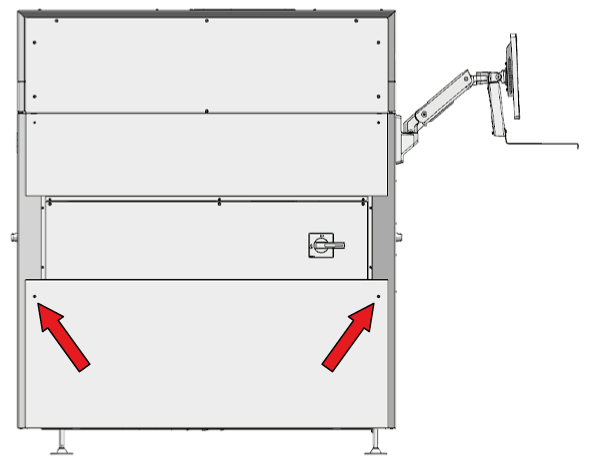
Locate the e-box cover and loosen 2 screws at the top. The e-box is located on the side below the mains switch. |
|
|
4 |
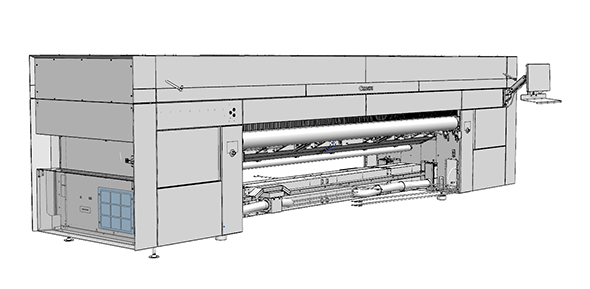
Locate the e-box filter. |
|
|
5 |
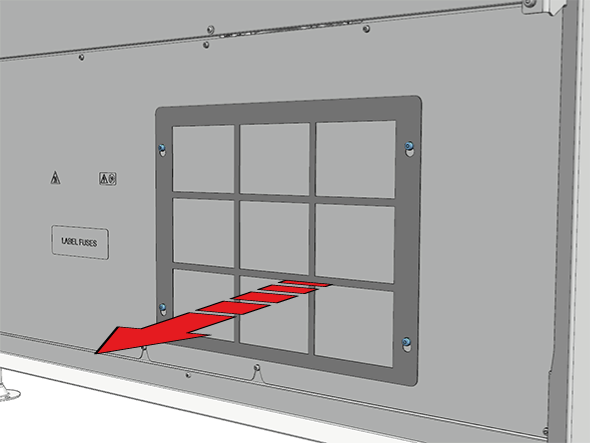
Loosen 4 screws to remove the cover. |
|
|
6 |
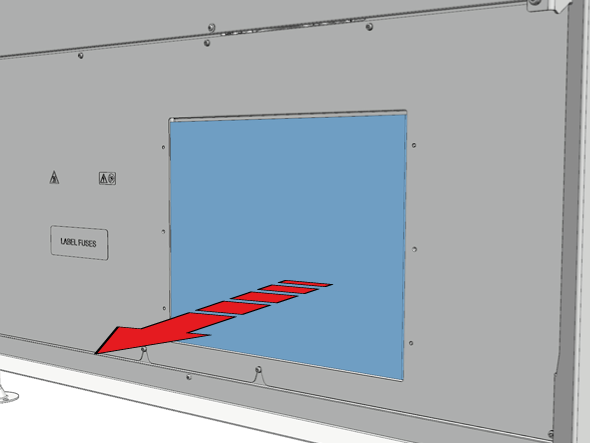
Remove the filter from the frame. |
|
|
7 |
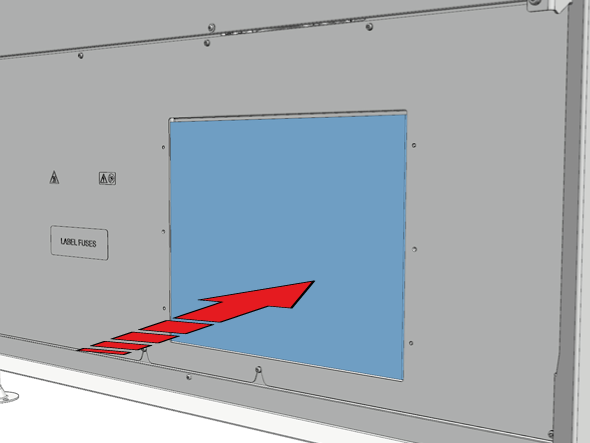
Take a new filter and place it in the frame. |
|
|
8 |
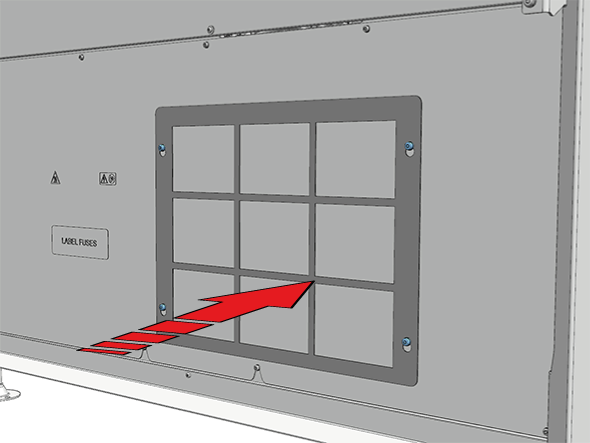
Place the cover back and tighten 4 screws. |
|
|
9 |
Place the e-box cover back and tighten 2 screws. |
|
|
10 |
Dispose the gloves and used filter as chemical waste according to local regulations. |
|
|
11 |
On the user interface, tap [Confirm] to end the maintenance action. |