
From the media output side you can access the user interface, access the output spindle, open the top cover, perform maintenance or collect your print.
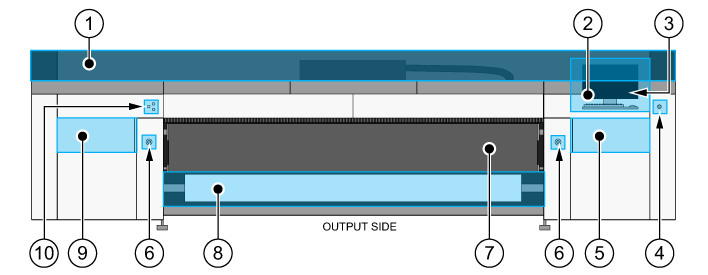
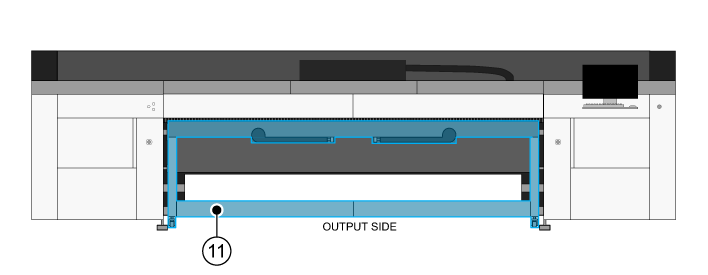
|
Number |
Component |
|---|---|
|
1 |
Top cover |
|
2 |
User interface |
|
3 |
USB port |
|
4 |
Standby button |
|
5 |
Maintenance door |
|
6 |
Emergency stops |
|
7 |
Printbelt |
|
8 |
Output roll |
|
9 |
Manual maintenance door |
|
10 |
Media control buttons |
|
11 |
Output table for rigid media |
*You can install a second user interface on the printer. Both user interfaces display the same information and have a touchscreen. You can attach a keyboard and mouse to both user interfaces, you must supply these yourself. A surface for a mouse and keyboard is included in the standard configuration of the printer, and with the optional second user interface. Installation of this surface is optional.