
Curled roll media can cause problems during printing. There are 2 media edge guards on the printer that help keep roll media flat during printing. To use the media edge guards, you must set them up correctly.
It is recommended to set up the media edge guards before you load media.
Incorrectly set up media edge guards will become polluted if printed on. If the media edge guards become polluted. see Clean the media edge guards.
 CAUTION
Do not touch the media edge guards when the printer is active.
|
1 |
Locate the media edge guards. |
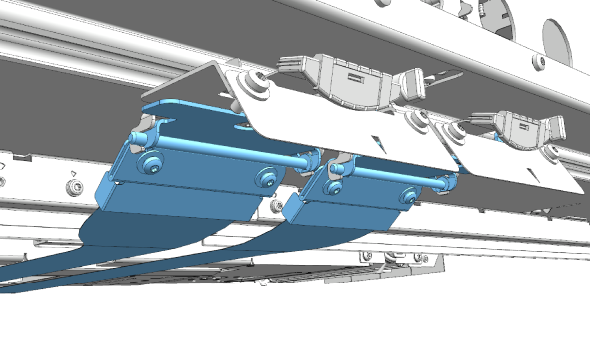
|
|
2 |
Push the green lever to move the media edge guards and slide the media edge guards towards the middle of the media. |
|
|
3 |
Load a media roll. See Load a media roll. |
|
|
4 |
Push the green lever to move the media edge guards and slide the media edge guards towards the outer edges of the media. Make sure that the arrows on the media edge guards point towards the edges of the media.  NOTE NOTE
Make sure that the side edge guards do not cover the area that will be printed on. |
|
|
5 |
You are now ready to print. |
|
It is recommended to set up the media edge guards before you load media. If media is loaded already and the media edge guards are positioned away from the media, they can collide with the media edges while you position them.
When media is loaded already, you can remove the media edge guards before you position them.
|
1 |
Remove the media edge guards from the printer. See Remove or attach the media edge guards. |
|
2 |
Push the green lever and slide the slots of the media edge guards within the media range. |
|
3 |
Place the media edge guards back into the printer. See Remove or attach the media edge guards. |
|
4 |
Push the green lever to move the media edge guards and slide the media edge guards towards the outer edges of the media. Make sure that the arrows on the media edge guards point towards the edges of the media. NOTE
Make sure that the side edge guards do not cover the area that will be printed on. |
|
5 |
You are now ready to print. |