
You can remove print jobs before or after they are printed.
For security reasons, the system administrator can enable the E-shredding option. E-shredding overwrites the deleted job data and prevents the data recovery of a removed job.
 NOTE
NOTE
When a Solid State Drive (SSD) is installed in the PRISMAsync Print Server, E-shredding is disabled. The first reason for this is that Solid State Drives feature their own data security mechanism, known as TRIM, which overwrites deleted data to enhance security. The second reason is that E-shredding can accelerate wear on SSDs.
When the control panel shows the printed jobs, you can reprint jobs. Printed jobs can automatically be removed by the printer after a certain storage period. When the printer does not remove printed jobs automatically, remove these jobs manually to prevent a full system disk.
Jobs that have not been printed completely and proof prints do not come in the list of printed jobs.
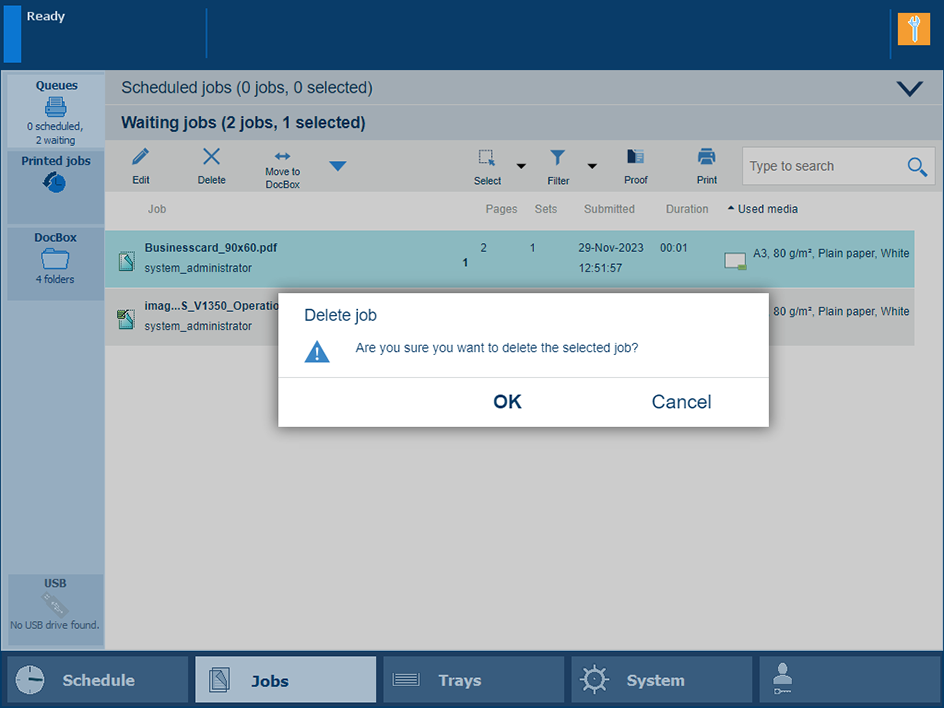 Delete jobs
|
Function |
Scheduled jobs |
Waiting jobs |
DocBox |
Printed jobs |
|---|---|---|---|---|
|
[Delete] |

|
|
|
|
Go to the location of the job.
Tap the jobs, or use an option from the [Select] menu.
Touch [Delete].
Confirm the deletion action.