
Clean the scanner from time to time, to prevent decrease of copy and scan quality.
Clean when:
the transparent contact plates are dirty and static
the original support rollers are dirty, and you use transparent originals
A locking mechanism prevents the scanner top cover from closing.
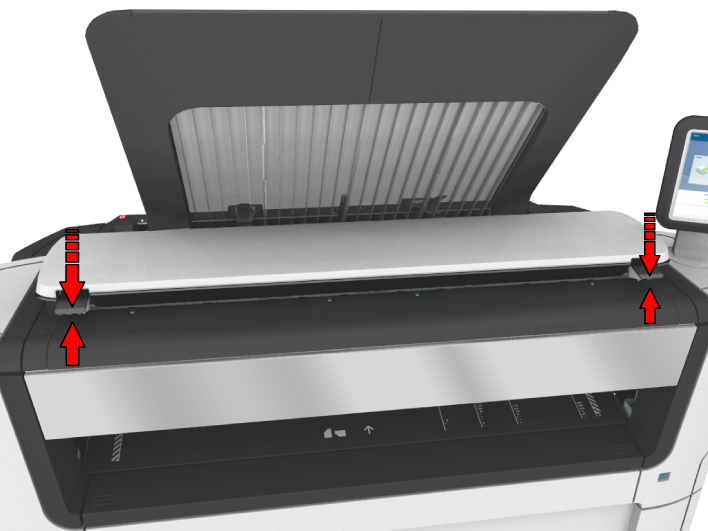
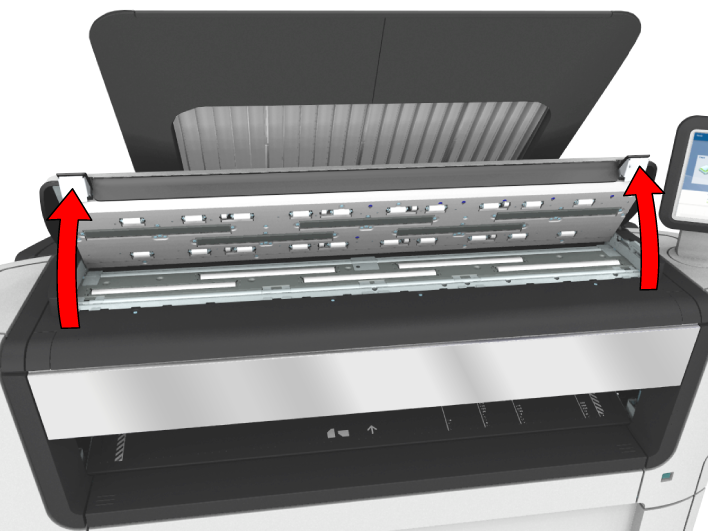
 IMPORTANT
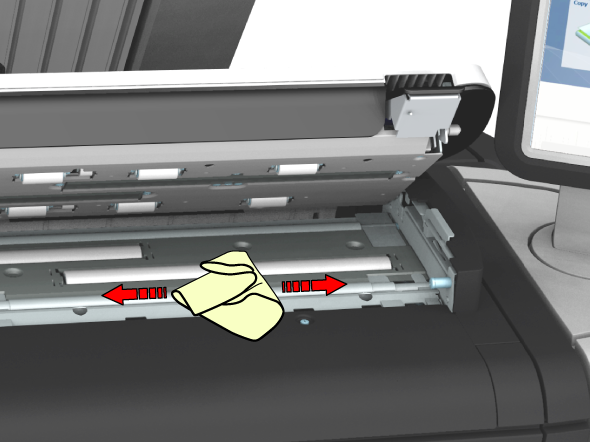
To clean the scanner, use the soft lint-free muslin towels from the scanner cleaning kit.
The [original support rollers]
Rotate the rollers to clean them.
The [transparent contact plates]
Wipe off any soiled areas.
 CAUTION
Watch out, not to get your fingers caught in the scanner top cover.
 NOTE
NOTE
Check that the left and right scanner open levers are locked into position.