Loading

Move the system

Introduction

You can move the printer to a new location.

Before you begin

IMPORTANT
NOTE

Be aware of the size of the printer working area (see Printer working area (Footprint)).

Procedure

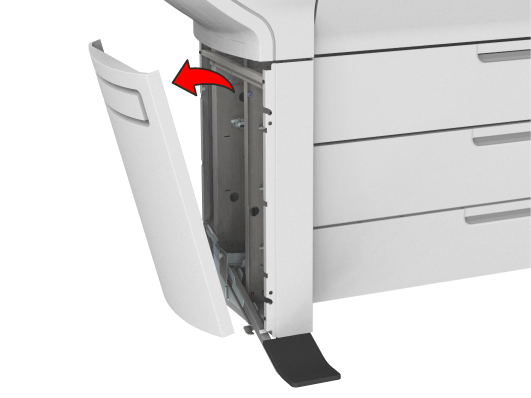
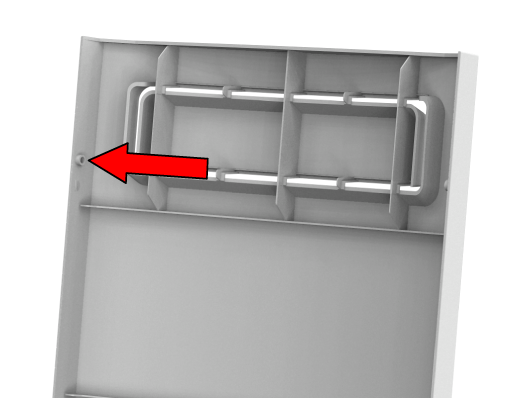
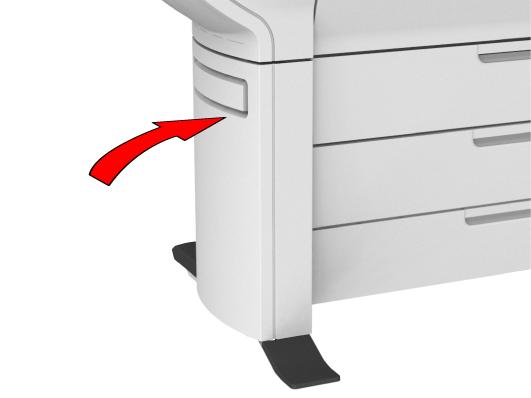
  1. Pull with both hands to remove the left side cover.
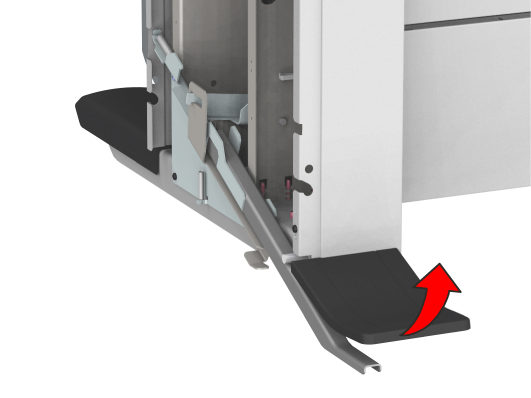
  2. Pull at the left foot cover to remove it.
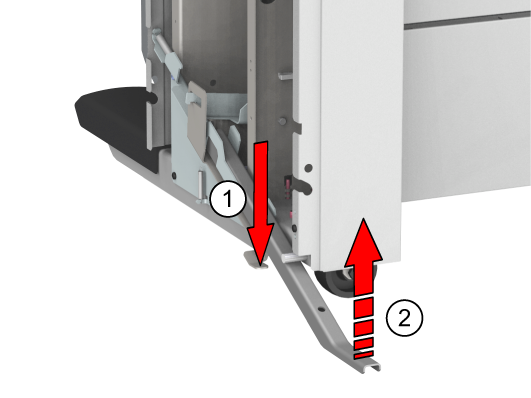
  3. Push the handle [1]. The foot snaps up [2].
  4. Repeat action 1 till 3 on the right side cover.
  5. Move the printer to the preferred location. Be aware of the printer working area.
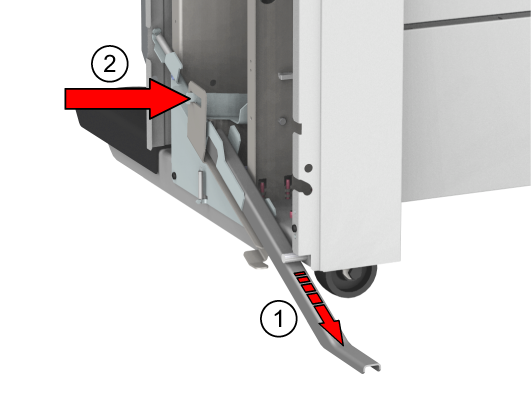
  6. Pull out the left foot [1] until it touches the ground and locks [2]. You should hear a click when it locks into place.
    NOTE

    If you do not hear a click, place your foot on the foot of the printer [1] and at the same time push gently against the printer until you hear the click.
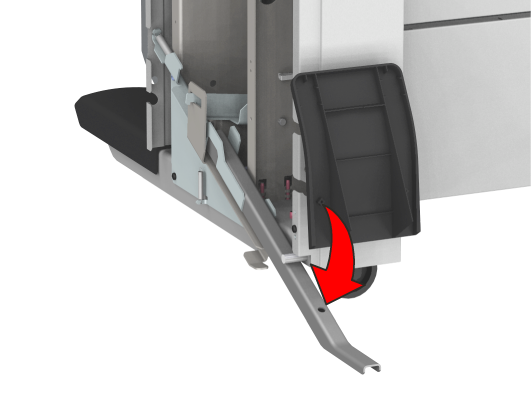
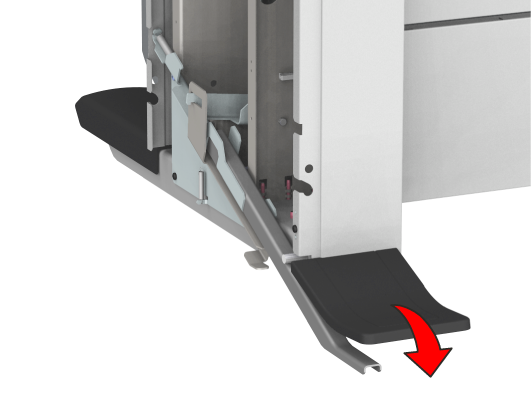
  7. Place the foot cover. Place the pin into the notch.
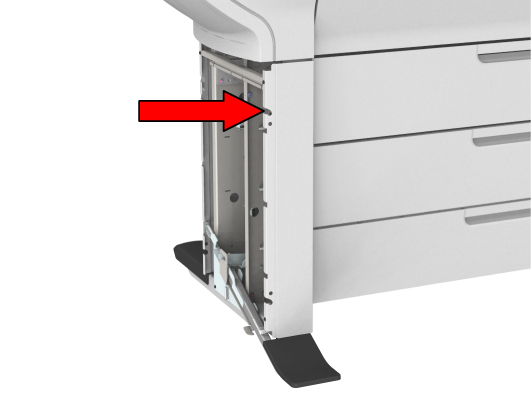
  8. Place the pin into the notch to mount the left side cover.

    Pin:

    Notch:

  9. Push the cover into place.
  10. Repeat action 6 till 9 for the right side cover.