
Replace the maintenance container when the system gives a warning. When you replace the maintenance container, you must also clean the UVgel funnel. If the funnel is too congested and cannot be cleaned, you must replace it.
The user interface gives an orange warning when you can replace the maintenance container.
The user interface gives a red warning when you must replace the maintenance container. The printing process is stopped until you have replaced the maintenance container.
Use Colorado XL-series prescribed:
Microflex gloves for handling ink
Lint free cloths
Cleaning liquid (IPA)
maintenance container
UVgel funnel (in case of replacement)
 CAUTION
Always wear protective gloves when opening the covers of the machine.
CAUTION
Wear gloves when contact with ink or maintenance materials is possible. Gloves should always overlap sleeves. Follow the ink related Safety Data Sheets (SDS) guidelines carefully in order to ensure maximum safety.
|
1 |
On the user interface tap on [Maintenance], then [Replace the maintenance container] and tap [Start maintenance action]. |
|
|
2 |
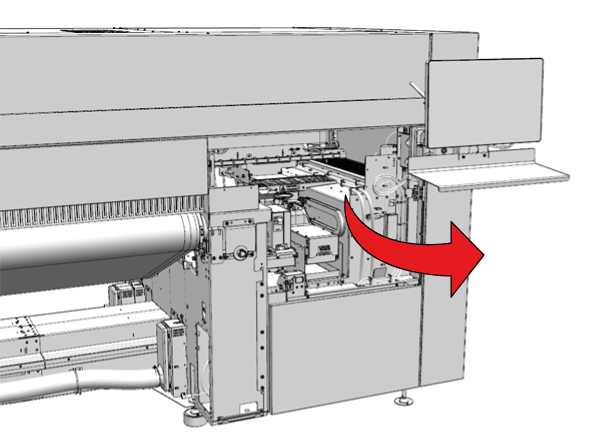
Go to the output side of the printer and open the maintenance door. |
|
|
3 |
Put on the Colorado XL-series approved gloves. |
|
|
4 |
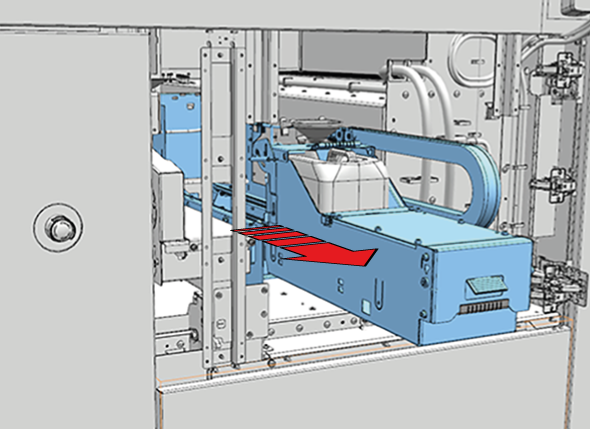
Pull the green lever carefully to slide the maintenance drawer to the front. Make sure to extend the drawer completely. |
|
|
5 |
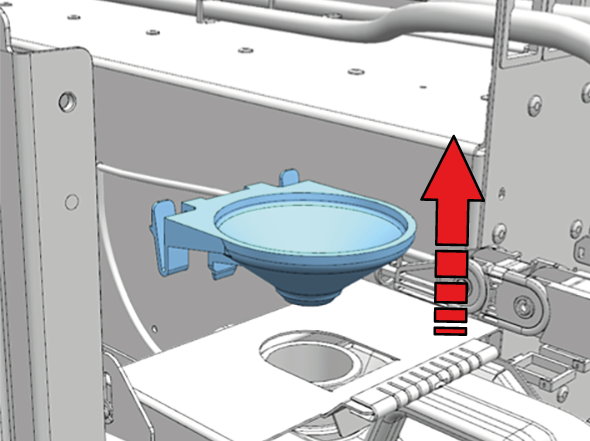
Take the funnel out of the metal holder. |
|
|
6 |
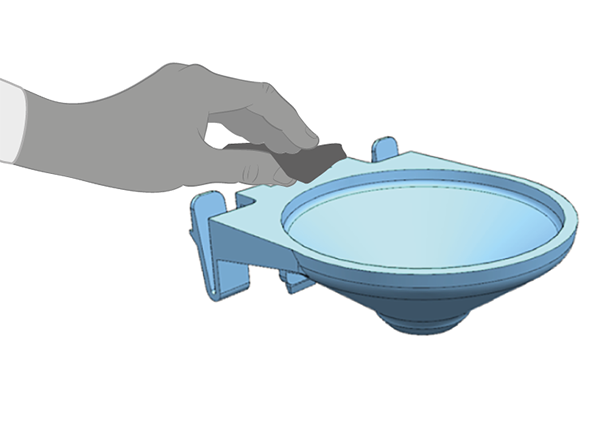
Use a lint free cloth with cleaner IPA to clean the funnel. If the funnel is too congested and cannot be cleaned, you must replace it. |
|
|
7 |
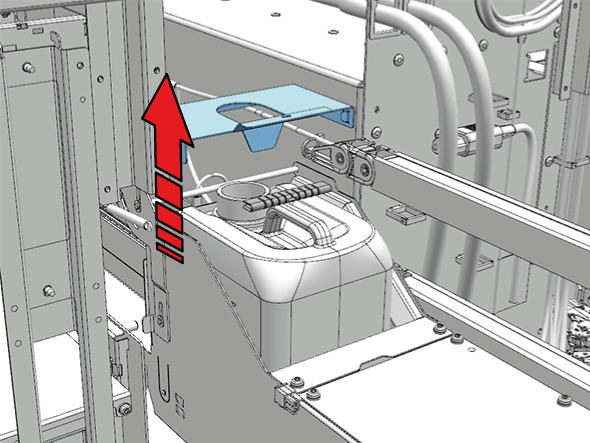
Lift the metal holder up by the green lever. |
|
|
8 |
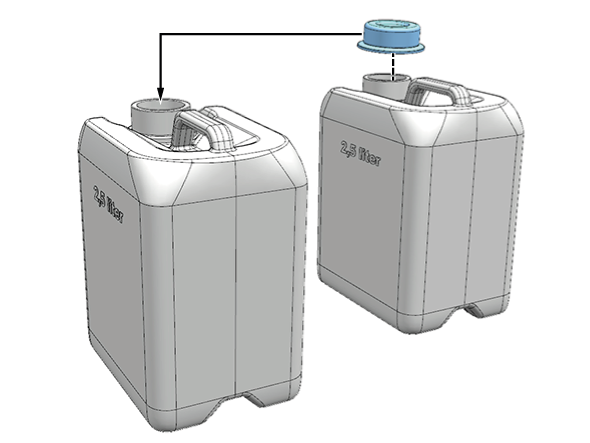
Take the cap of the new maintenance container and put it on the old maintenance container. |
|
|
9 |
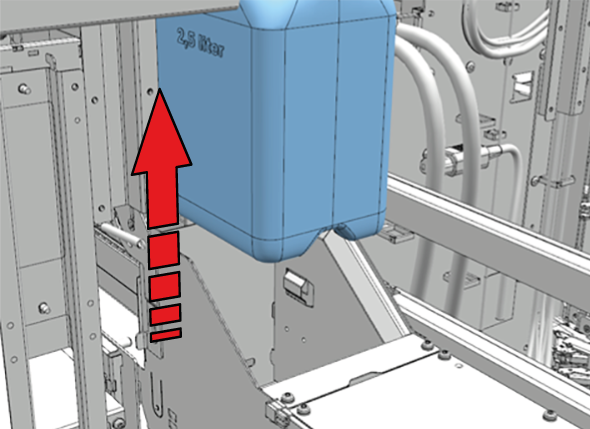
Lift the maintenance container out of the printer and dispose the full maintenance container as chemical waste according to local regulations. |
|
|
10 |
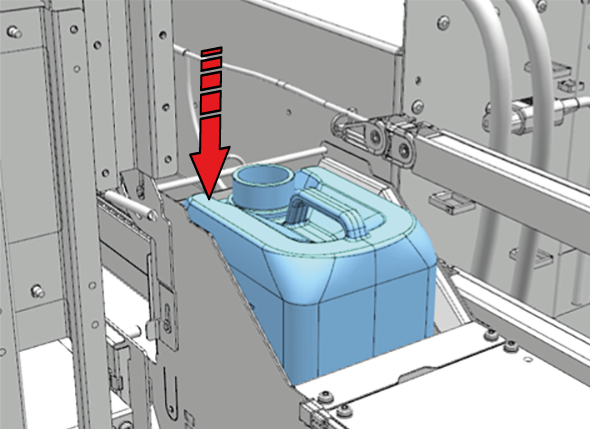
Place the new maintenance container in the printer. |
|
|
11 |
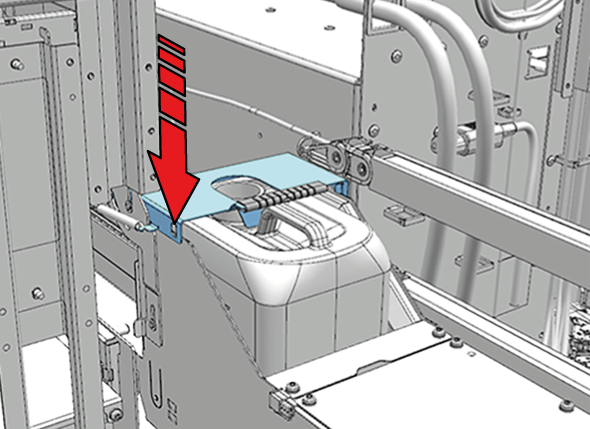
Close the metal holder. |
|
|
12 |
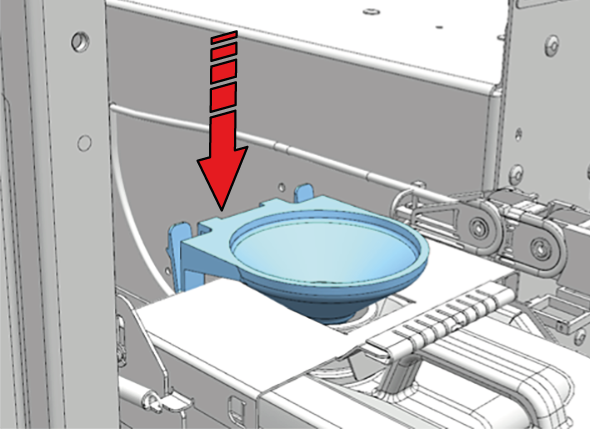
Place the cleaned funnel back in the metal holder. If you need to replace the funnel, take a new funnel and place it in the metal holder. |
|
|
13 |
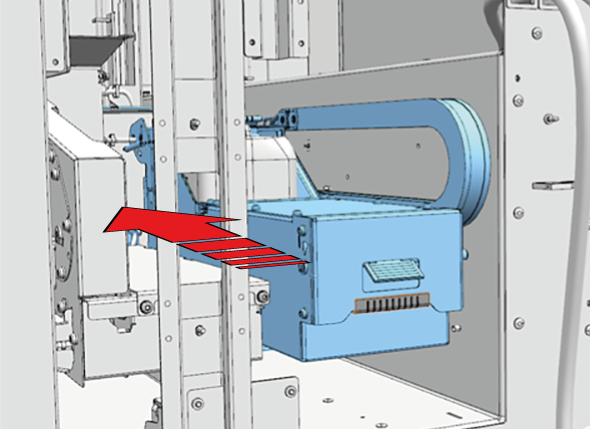
Push and close the maintenance drawer. |
|
|
14 |
Dispose the gloves and lint free cloths as chemical waste according to local regulations. If you replaced the funnel, dispose the old funnel as chemical waste according to local regulations. |
|
|
15 |
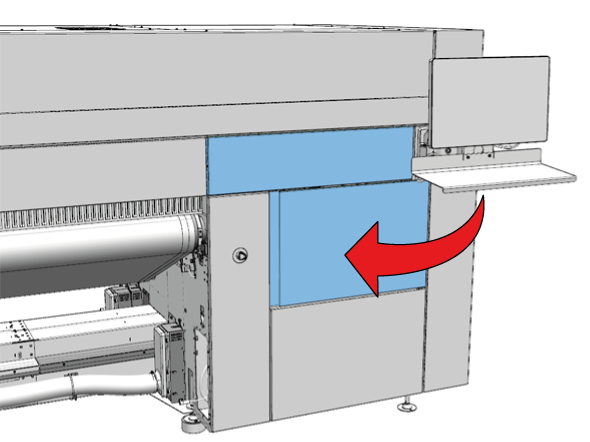
Close the maintenance door. |
|
|
16 |
On the user interface, tap [Confirm] to confirm you replaced a full maintenance container with an empty maintenance container and end the action. |
|