Loading

Load a media roll (position 2)

Introduction

You can load your media in the front of the drawer on position 1, or in the back of the drawer on position 2. Load the media for position 1 and 2 similarly for all drawers.

NOTE
  • To spare your back, it is advised to load an A0 or E-size media roll on position 1 and an A2 or C-size media roll on position 2.

  • To improve productivity, it is advised to load the most used media in the upper drawer.

CAUTION
  • Loading heavy media, 10 kg or more, on position 2, 3, 4, 5 or 6 has to be done by two people or with the help of external lifting tools.

  • Watch your fingers when you handle the media roll.

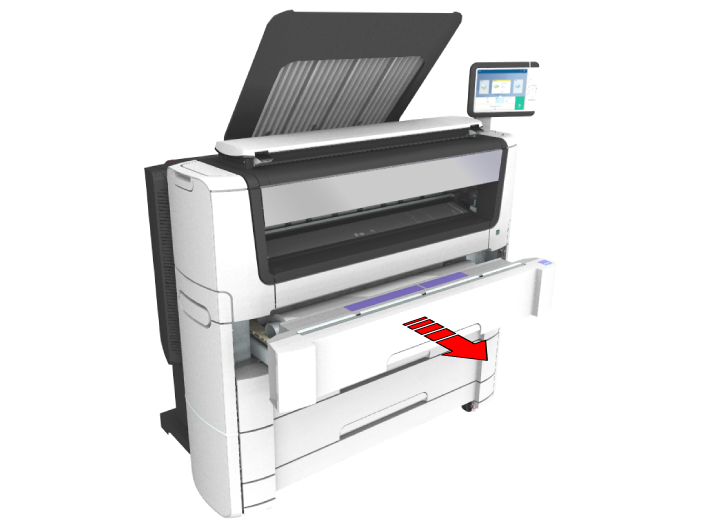
  • If you want to load an A0 media roll on position 2,make sure to bend your knees, as indicated below, to spare your back.
Procedure

  1. Pull firmly to open the media drawer.
  2. Place the new media roll on the roll loading station.
  3. Pull (1) the handle of the roll holder locking mechanism toward you.

    Slide (2) the roll holder into the right side of the core of the new media roll.
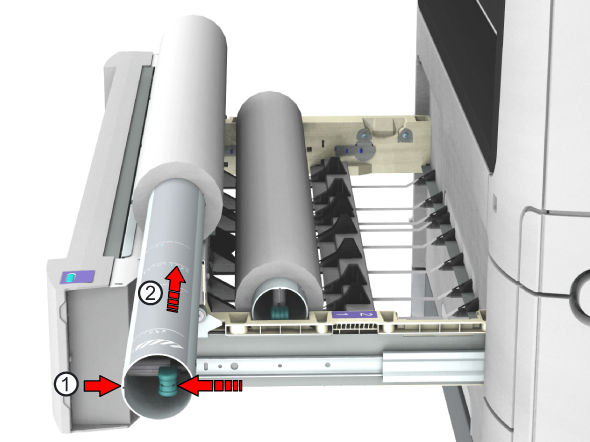
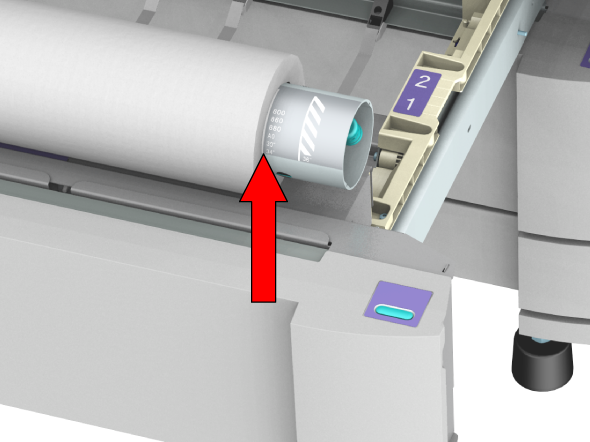
  4. Align the side of the roll with the center of the correct size indicator on the roll holder and release the handle of the locking mechanism.
  5. Remove the tapes from the new media roll.

    Use both hands (as indicated) to place the media roll in the media drawer.
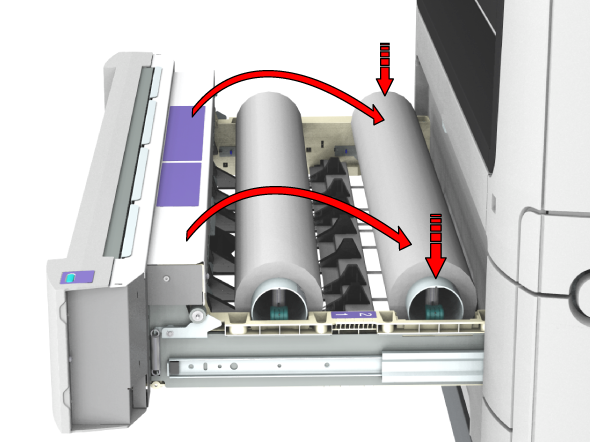
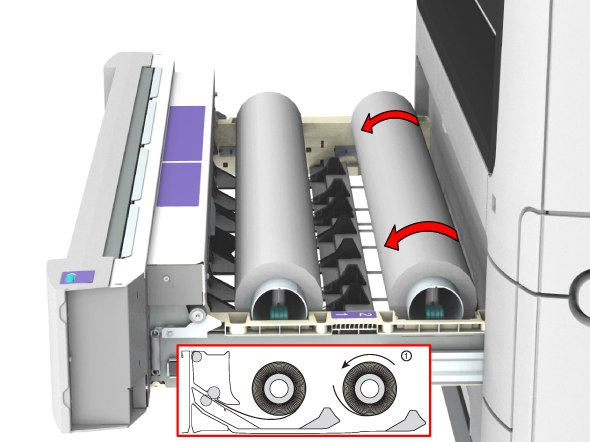
  6. Use both hands to turn the media roll backwards (1) until the media flap has passed the metal paper guide.
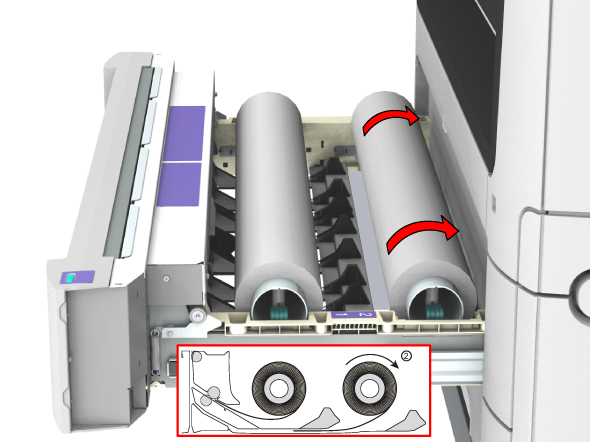
  7. Use both hands to slide the media under the metal paper guide (2) until the media is transported automatically.
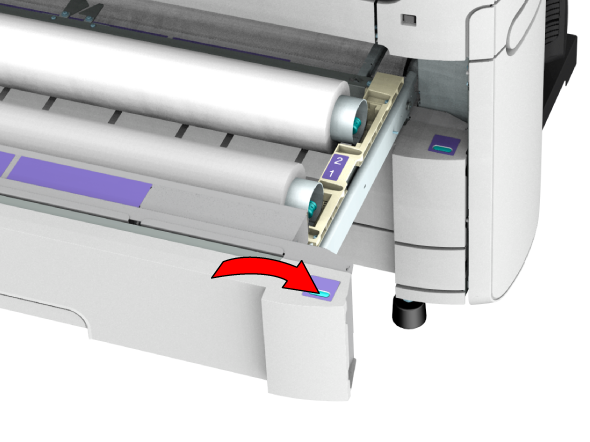
  8. If necessary, press the clean cut button to trim a strip of the new media roll. Press once for a strip of approximately 20 cm (7.9 in) or hold the button and release it when the strip has the desired length.
  9. Close the media drawer.
    NOTE

    Do not open the media drawer during loading.

  10. The user panel displays the message that new media is detected. Follow the steps in the wizard to define the correct media type and size if not detected automatically.