Loading

Switch on the printing system

IMPORTANT
  • Make sure the mains supply cable (B) is plugged in.

  • Make sure the network cable ©) is plugged in.

For more information, see Connect the mains supply cable and the network cable

Procedure

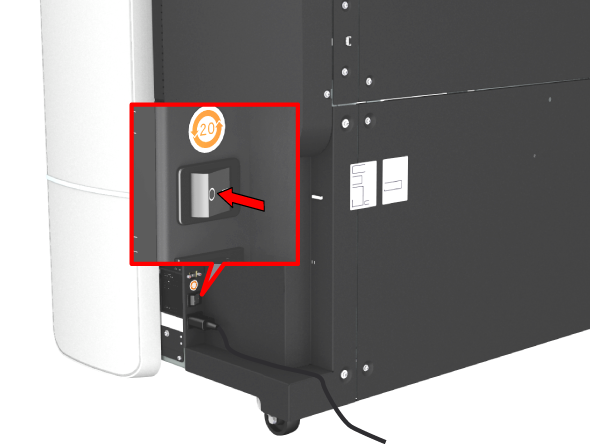
  1. Switch on the power switch at the left back of the printer.
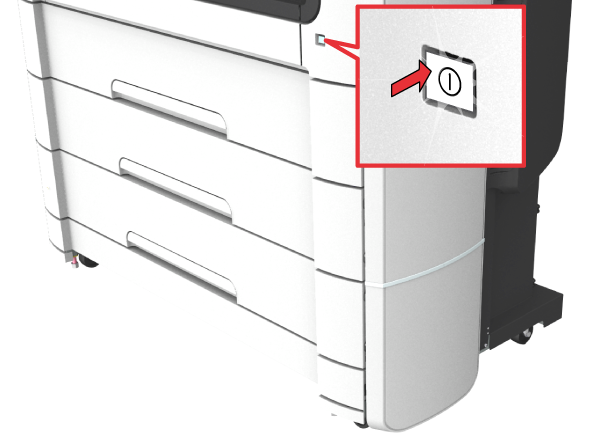
  2. Press the on/off button at the front of the printer to switch the printing system on.