
The power switch of the user interface is located behind the manual maintenance door. This button cuts all power to the user interface.
|
1 |
Go to the output side of the printer. |
|
|
2 |
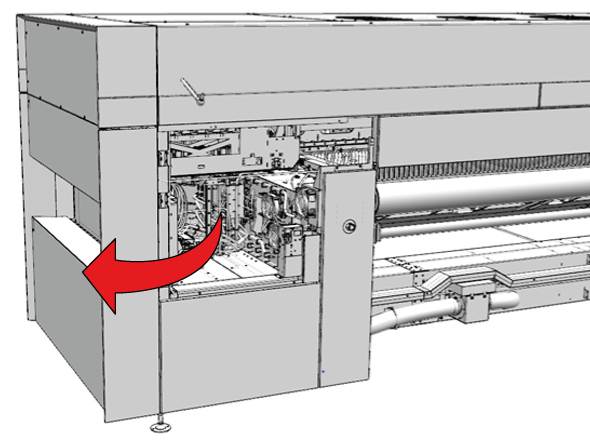
Open the manual maintenance door. |
|
|
3 |
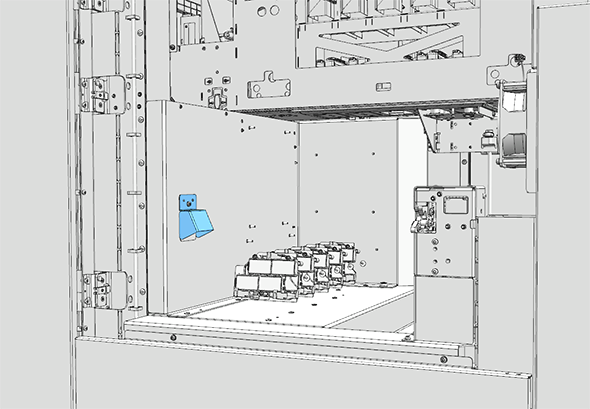
Locate the power switch underneath the cap. |
|
|
4 |
Set the switch in the off position. |