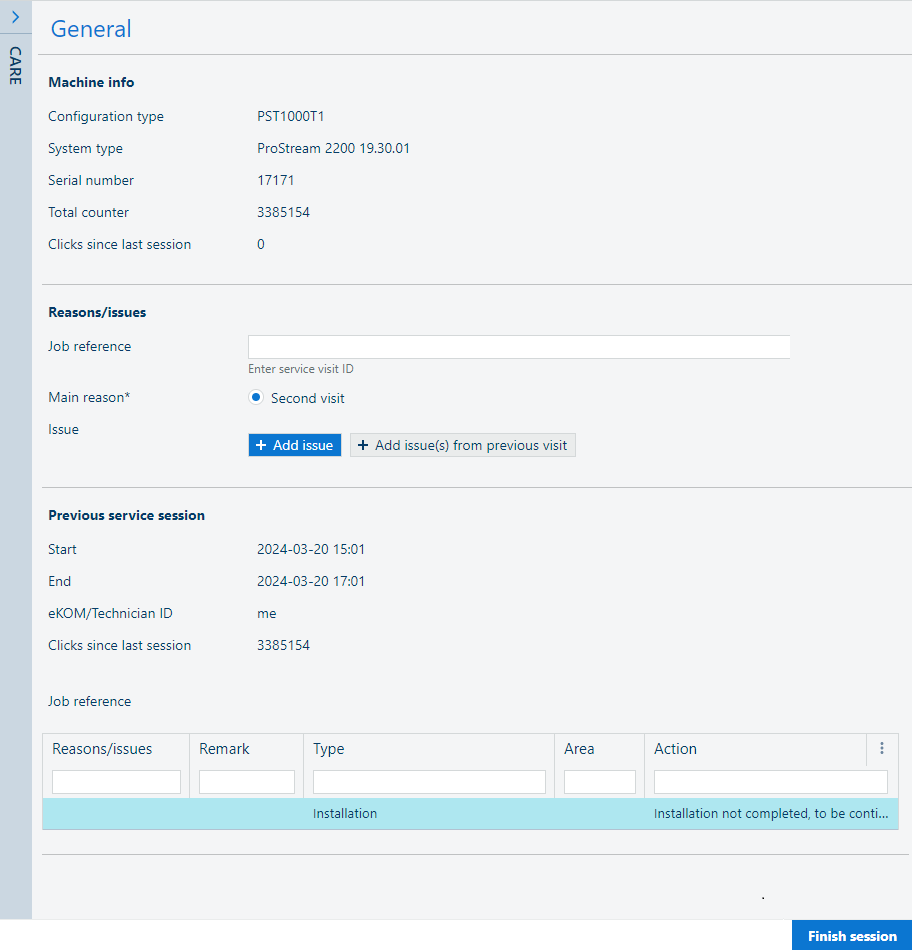
It can happen that a service visit cannot be completed, for example due to missing parts or lack of time. If a service visit is a follow-up on an earlier visit, it can be logged as a second visit.
[Second visit] is a category in the [Main reason] section of the [Collect] screen.
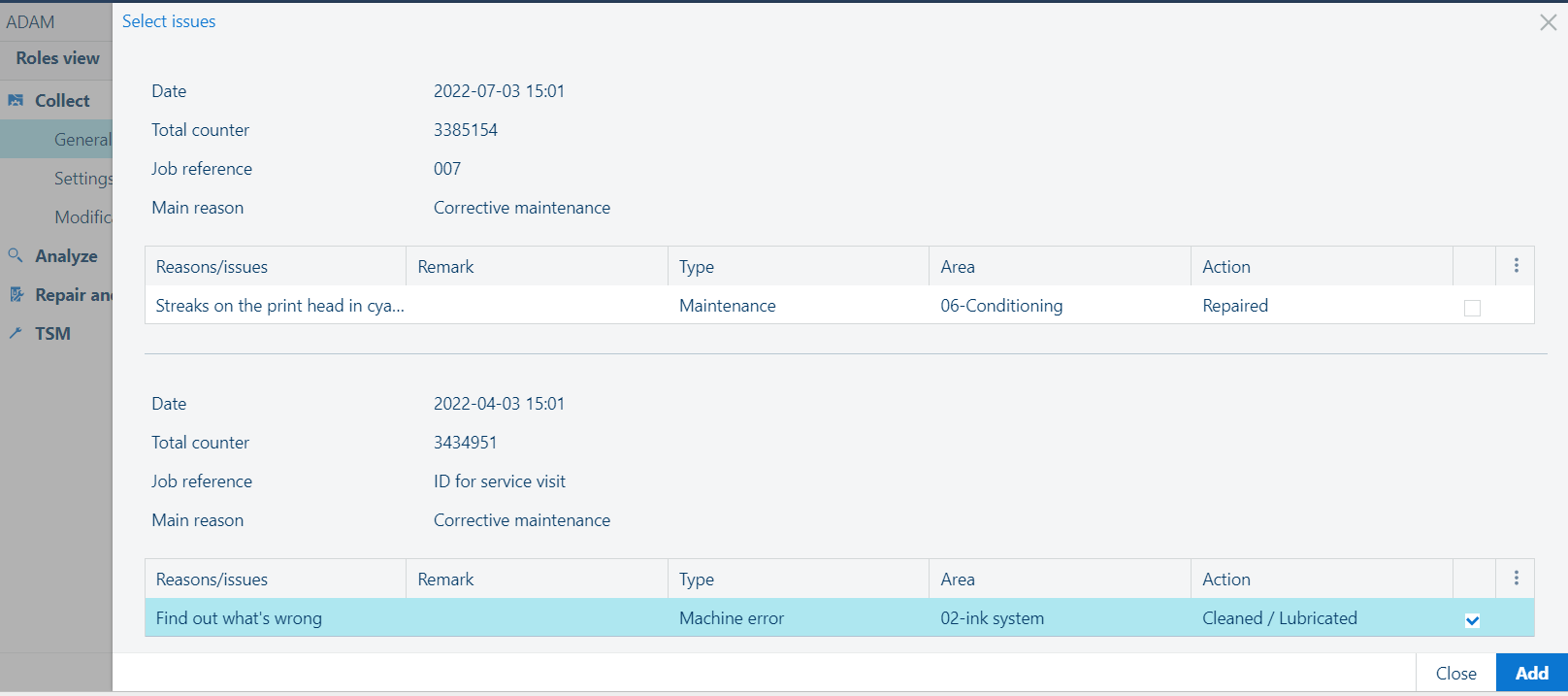
[Add issue(s) from previous visit] generates a pop-up screen that shows the last 5 visits from the device logbook.
 NOTE
NOTE
A Second visit is always related to one or more previous visits and one or more reasons within these visits.
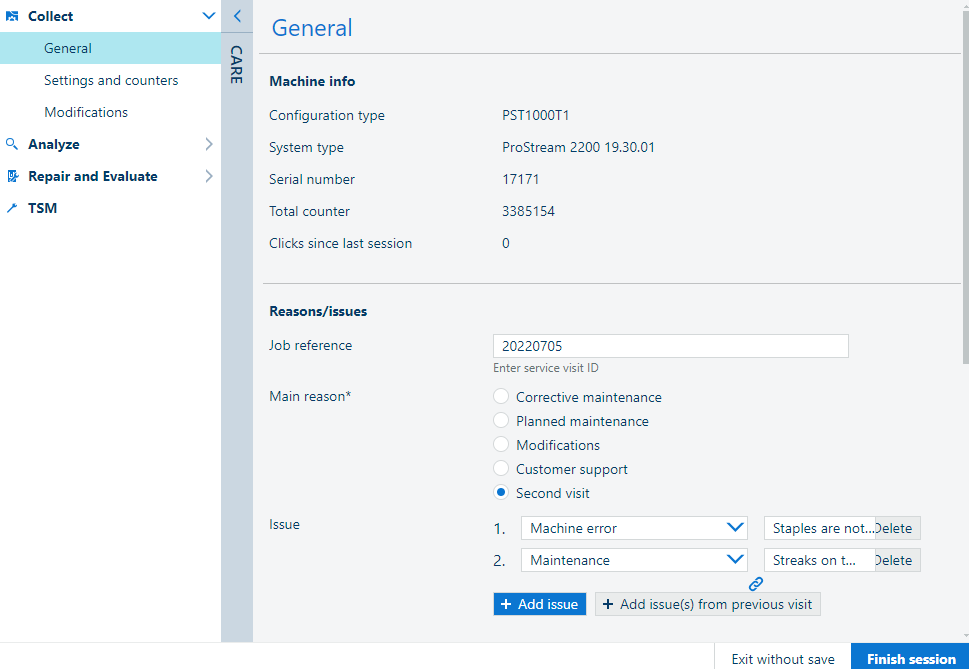
Select the related previous visit and press
 [Add issue]. The main reason and the description will be filled out based on the selection.
A Second visit to continue an Installation is also related to one or more previous (installation) visits. In case of a partial previous installation visit, the next visit will automatically be a second visit.
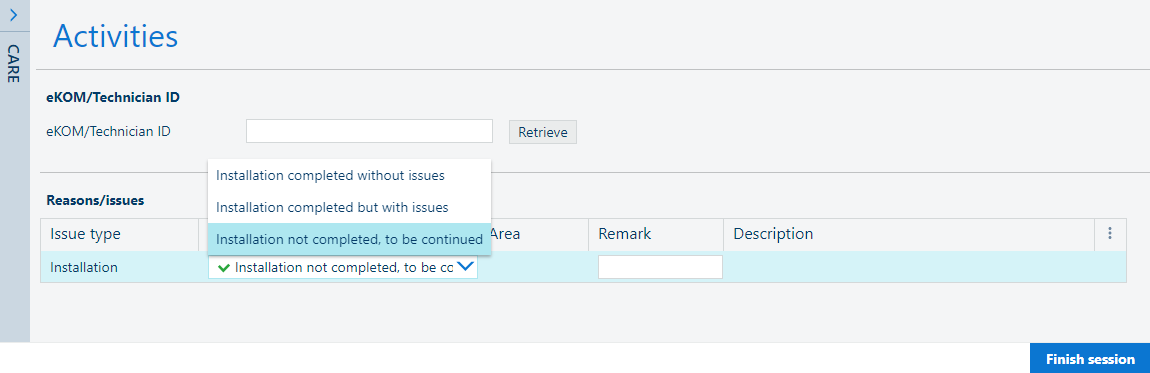
Finish the service visit in ADAM. From this screen onwards, the process to complete the service visit is the same for an installation visit and any other issue.
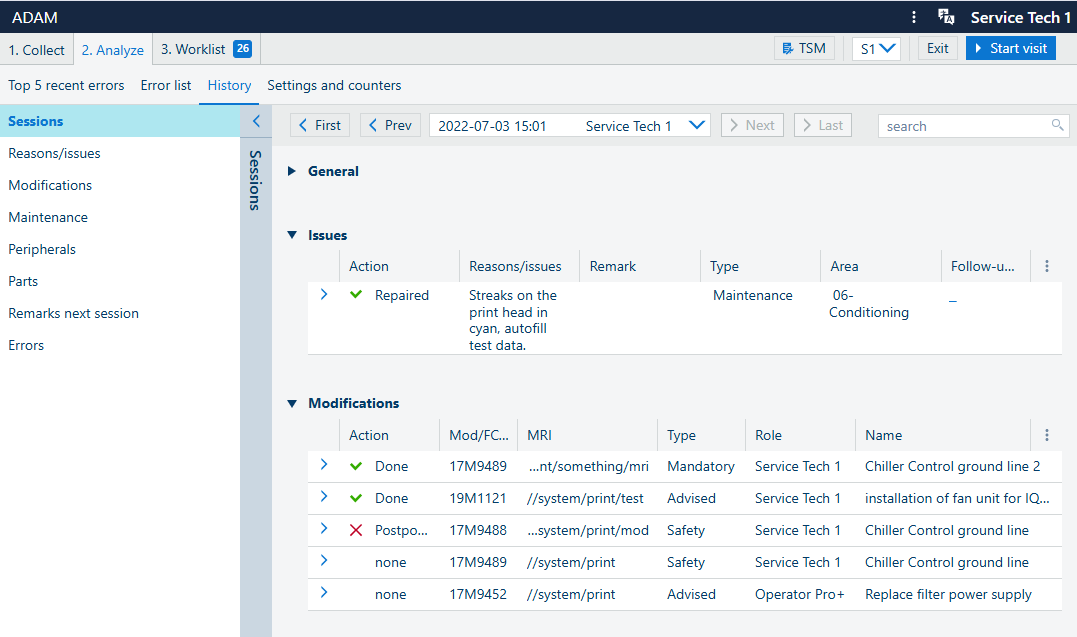
The [Second visit] is indicated as the [Main reason] in the [History] category of the [Analyze] section.
Click on the date selector in the [Sessions] toolbar to view the information of the earlier visit.
Use the top navigation toolbar to navigate in the list of snapshots. ([First] /[Last] to reach one of the ends of the interval, or [Next] /[Prev] to change the position by 1).