
This dialog box can be used to send an email message to the email address designated as that of your service representative.
Press the
 button.
Select [Contact service] from the menu.
A new dialog box opens:
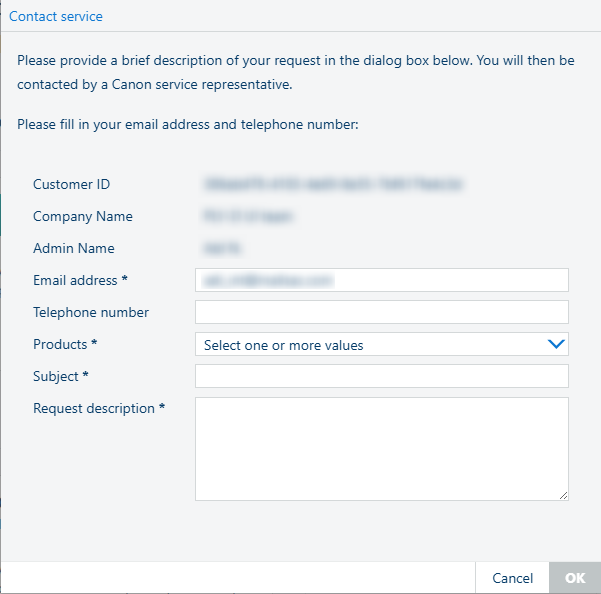
Enter your email address.
Enter your telephone number
Select the [Product] / [Products].
Type in the [Subject] of your message.
Enter the text of your message in the [Request description] area.
You can only use plain text.
Close the dialog box:
[OK]:
Sends the message to the email address of your service contact.
[Cancel]:
Discards the operation. No message is sent.