
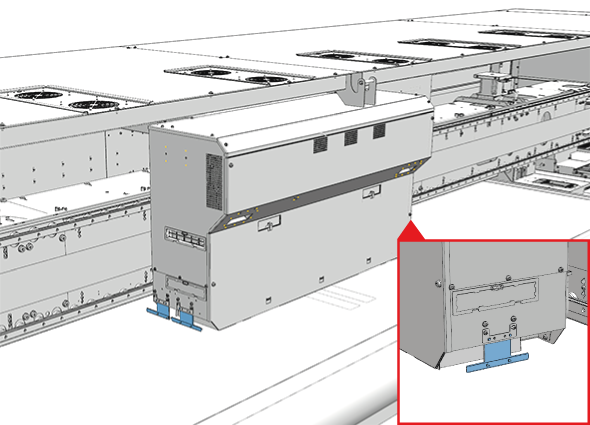
2 collision detection sensors are located on the printhead carriage, 1 on each side. The collision detection sensors prevent printhead damage caused by crashes of the carriage with media or obstacles on the printbelt.
Because pollution of the sensors can cause print quality issues, you must ensure that the collision detection sensors are clean.
Use the Colorado XL-series prescribed:
Microflex gloves for handling ink
Lint free cloths
Cleaning liquid IPA
 CAUTION
Always wear protective gloves when opening the covers of the machine.
CAUTION
Wear gloves when contact with ink or maintenance materials is possible. Gloves should always overlap sleeves. Follow the ink related Safety Data Sheets (SDS) guidelines carefully in order to ensure maximum safety.
|
1 |
Put on the Colorado XL-series approved gloves. |
|
|
2 |
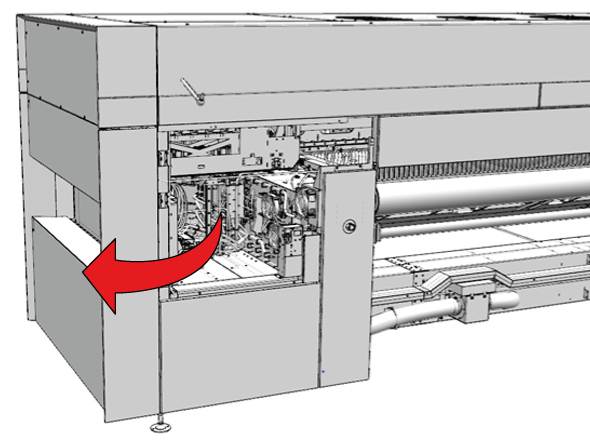
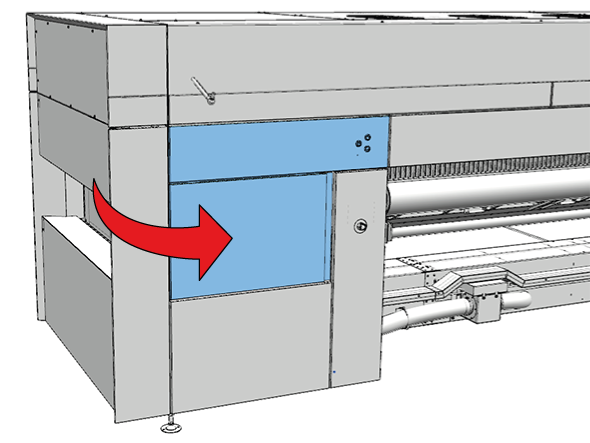
Go to the output side of the printer and open the manual maintenance door. |
|
|
3 |
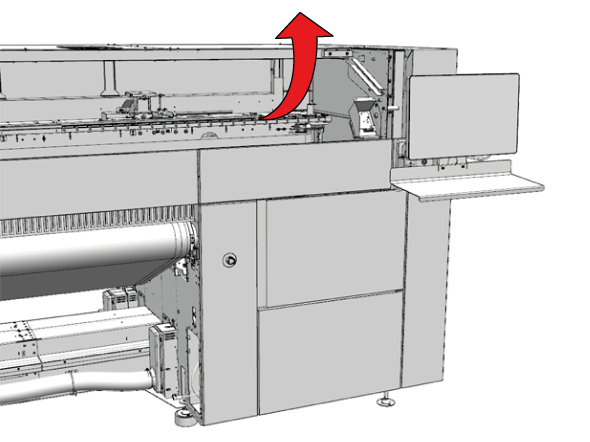
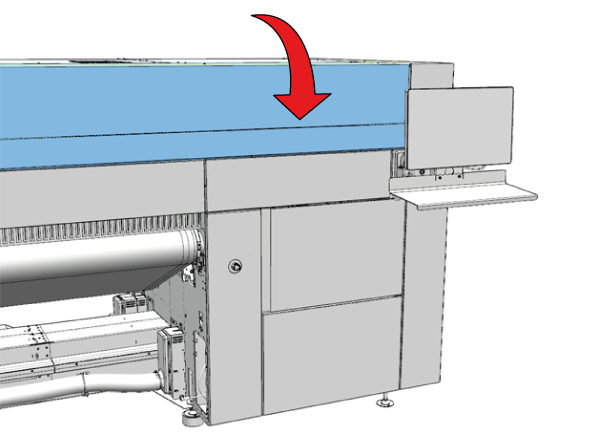
Open the top cover. |
|
|
4 |
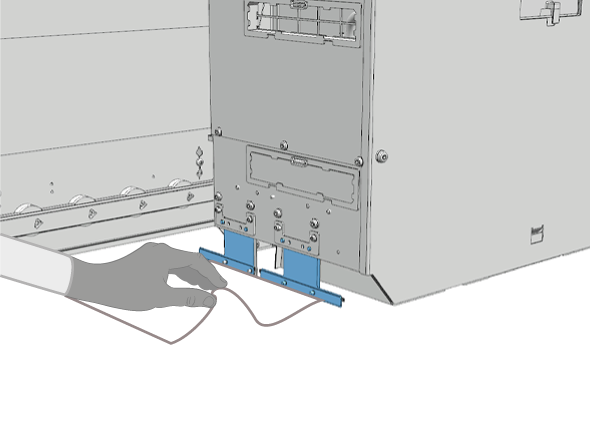
Locate the collision detection sensors on the sides of the printhead carriage. |
|
|
5 |
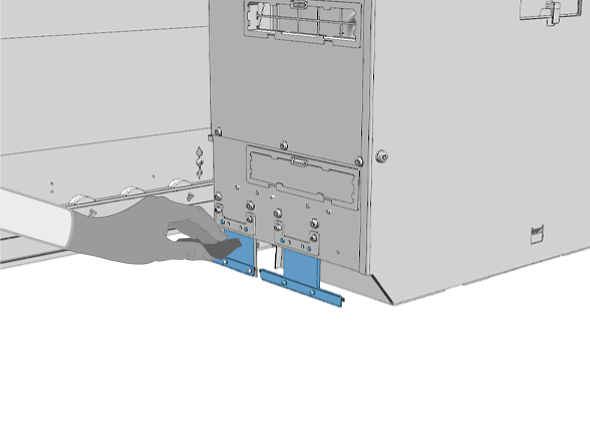
Check for any objects stuck to the sensors and remove them. |
|
|
6 |
Check for any UVgel on the sensors. If there is any UVgel on the sensors, dampen a lint-free cloth with cleaner IPA and clean the sensors. |
|
|
7 |
Make sure to clean the sensors on both sides of the printhead carriage. |
|
|
8 |
Dispose the gloves as chemical waste according to local regulations. |
|
|
9 |
Close the manual maintenance door. |
|
|
10 |
Close the top cover. |
|