
In order to be able to use your PRISMAsync printers within PRISMAlytics Dashboard & PRISMAlytics Accounting, you need to register them in PRISMA Home.
Open the Settings Editor of the printer and go to .
 [Connectivity] tab
 NOTE
NOTE
You need to have [Access to connectivity settings] rights. By default, only the [System administrator] has these rights.
Go to the [Cloud service] section.
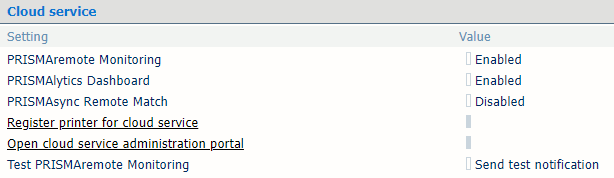 [Cloud service] section
Enable the [PRISMAlytics Dashboard] setting.
Click the link [Register printer for cloud service].
Log in and follow the instructions.