You can restart or shut down the printer from the user interface.
1
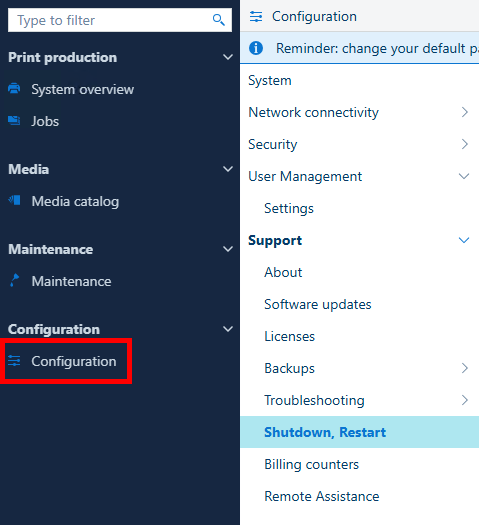
Open the [Configuration] app.
2
Go to [Support] → [Shutdown, Restart] .
3
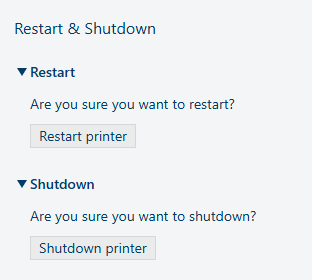
To restart the printer, select [Restart printer].
To shut down the printer, select [Shutdown printer].
4
In both cases, a confirmation dialog appears.
To confirm that you want to restart the printer, select [Restart].
To confirm that you want to shutdown the printer, select [Shutdown].
If you do not want to restart or shutdown the printer, select [Cancel].