
The [Events] screen displays the events scheduled in the printers being monitored and information on the events for which an error has occurred.
Events with the [ ] icon and a red bar displayed on the left edge have stopped due to an error. Refer to the displayed details to resolve the error.
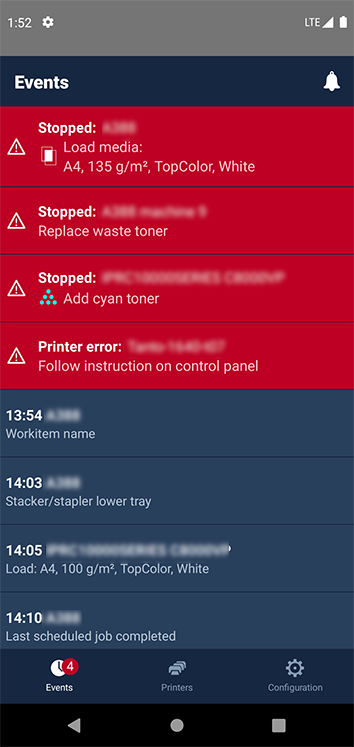 [Events] screen
 NOTE
NOTE
You can touch the [ ] icon on the top right of the screen to hide or display all the events.