
Some time after installation and the first calibration of a printhead, a second calibration is necessary to ensure that the printheads operate at the correct temperature.
The printer gives an orange warning when it is recommended to calibrate a printhead.
The printer gives a red warning when you must calibrate a printhead.
When you start a printhead recalibration, all printheads in the printer are calibrated.
 NOTE
NOTE
You can only perform printhead calibration when you print without winding. For more information, see Print without winding.
You have to use a media width that is larger than 1270 mm (50 inch).
You have to use a media type that can be used for printing without winding.
You have to use a smooth, white, opaque, non-reflective media for the printhead calibration of one of the following categories:
Heavy paper > 200 gsm (54 lb bond)
Paper 120-200 gsm (32-54 lb bond)
Film
Polymeric & cast self-adhesive vinyl
Thick film > 200 um (0.0079 inch)
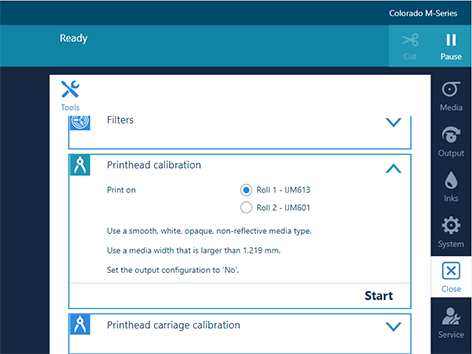
Depending on configurations set by the service technician, the following options are available:
[Automatic]
[Adapted]
[Nominal]
The printer performs the calibration.
NOTE
The calibration can take quite some time, around 30 minutes. Wait until the printer is finished with the calibration. When the active job disappears and [Start] is no longer greyed out, the calibration is finished.
The calibration can be successful or it can fail.
When a message appears that the calibration has failed, perform printhead calibration again.
When the calibration fails again, perform automatic maintenance three times without automatic nozzle optimization. For more information, see Start automatic maintenance. Perform printhead calibration again.
When the calibration is still not successful, contact your local Service representative.