
A set of media control buttons is located on both the input and output sides of the printer. Use these buttons to move the media through the printer, control the vacuum or progress through procedures.
You can only use the media control buttons when they are lit up.
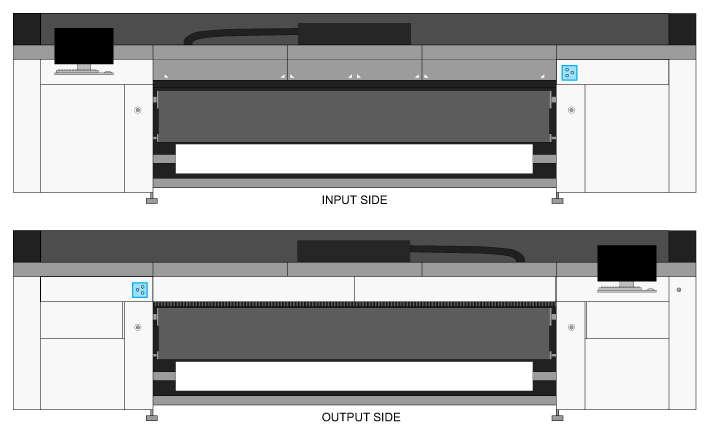
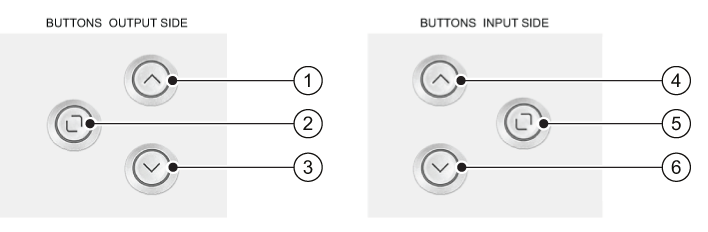
The function of the arrow buttons depends on the side of the printer that you are on. The arrow indicates media movement relative to your position (away from you, or towards you).
|
Button |
Function |
|---|---|
|
1 |
Move media away from you, to the input side. |
|
2 |
Enable or disable the vacuum, confirm actions, or progress through procedures. |
|
3 |
Move media towards you, to the output side. |
|
4 |
Move media away from you, to the output side. |
|
5 |
Enable or disable the vacuum, confirm actions, or progress through procedures. |
|
6 |
Move media towards you, to the input side. |