
To leave ADAM, click the [Finish session] button at the bottom of the screen.
To discard all the changes and leave ADAM immediately, press the [Exit].
 NOTE
NOTE
This action is equivalent with the action [Exit without save] !
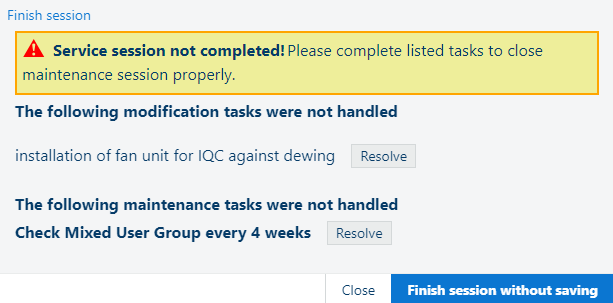
If any of the mandatory fields do not have a valid value, you will get the error message [Service session not completed!]:
|
Option |
Description |
|---|---|
|
|
Use this option to exit ADAM and save the service visit data. All mandatory fields need to be filled in. If you did not cover all the mandatory items (problems, issues, maintenance), then they will be prompted in this window. |
|
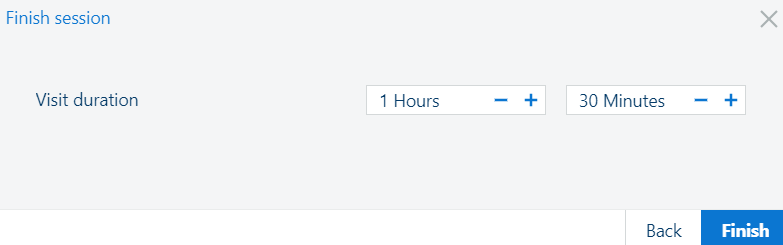
[Visit duration] |
Before the [Exit with save] is possible, a Visit duration must be entered. Use the - and + buttons for the Hours and Minutes to indicate the duration of the visit. |
|
[Exit without save] |
Use this option to exit ADAM without saving the service visit data. All data which was entered will be lost. |
|
[Back] |
Use this option to cancel the exit and return to ADAM. |