
The composition app offers a modern cloud-based app for content positioning, scaling and masking, managing document sections and adjusting the page sequence on registered printers.
 NOTE
Composing and merging attachments can only be done with a valid "PRISMAprepare Go and PRISMAsubmit Go Composition" license.
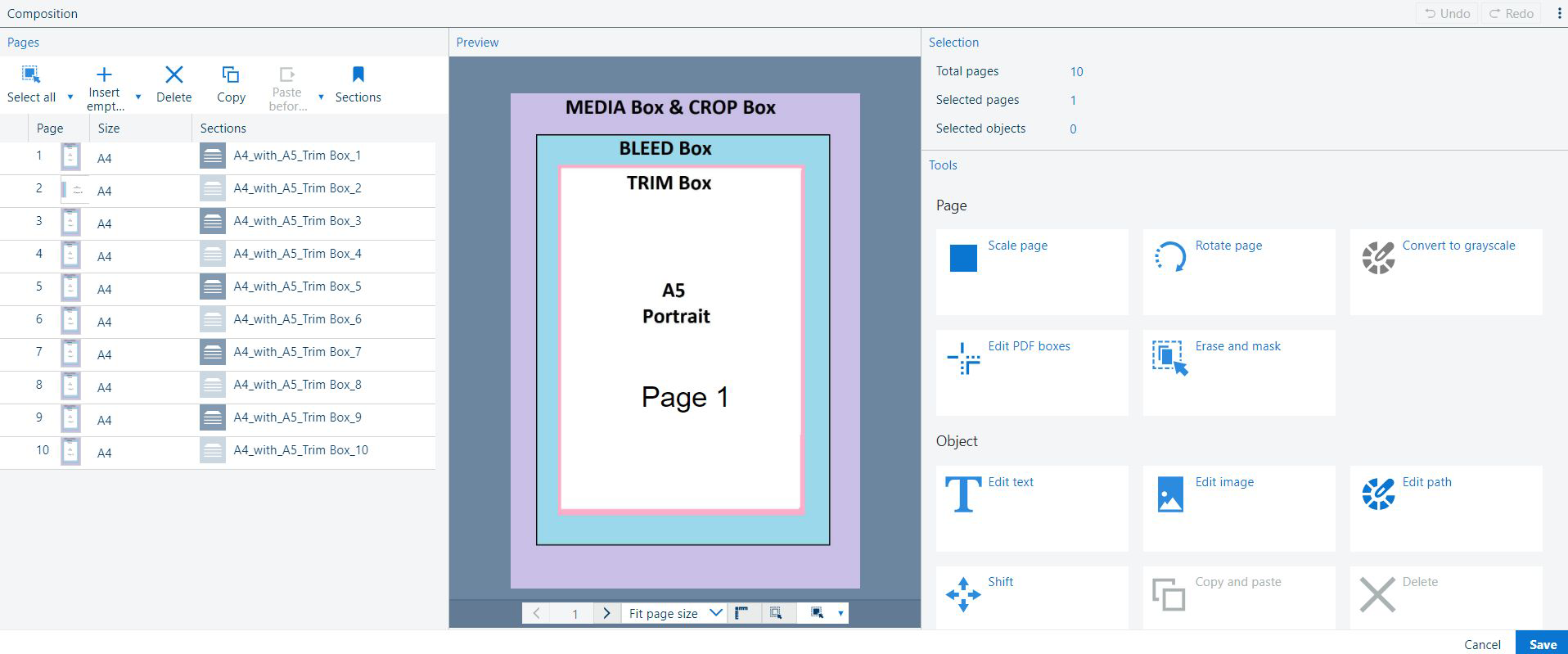
The composing workspace is split into several panels:
[Preview] is a WYSIWYG preview of the selected page.
[Pages] is a document structure overview.
[Selection] offers a glance at the currently selected page(s) or object(s).
[Tools] gives access to the editing functions.
The top bar of the app panel offers access to the context menu
 as well as the
 [Undo] and
 [Redo] .
The changes are lost if you leave the application or if you click [Cancel].
To make your changes persistent, you need to press [Save].