
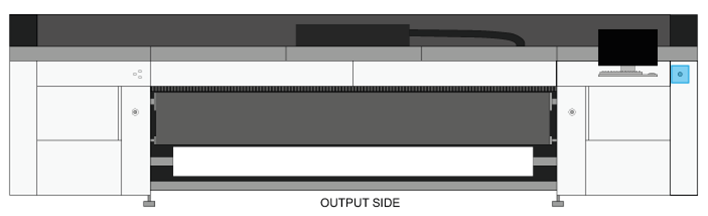
You can turn the printer on or off via the button on the output side of the printer. This button puts the printer in standby mode and does not cut power to the machine.
You can also put the printer in standby mode from the user interface.
|
1 |
Go to the output side of the printer and locate the standby button on the righthand side of the printer. |
|
|
2 |
Press the button shortly. The printer is put in standby mode, or woken up from standby mode. |
|
1 |
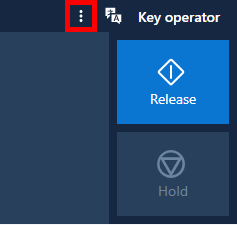
On the user interface, open the menu in the top corner on the right-hand side. |
|
|
2 |
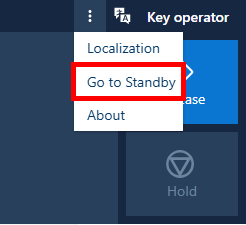
Select [Go to Standby]. The printer is put in standby mode, or woken up from standby mode. |
|