
Pollution built up on the maintenance interface plate can affect print quality. The user interface gives a warning when you must clean the maintenace interface plate.
Use Colorado XL-series prescribed:
Microflex gloves for handling UVgel
Lint free cloths
Cleaning liquid IPA
 CAUTION
Always wear protective gloves when opening the covers of the machine.
CAUTION
Wear gloves when contact with ink or maintenance materials is possible. Gloves should always overlap sleeves. Follow the ink related Safety Data Sheets (SDS) guidelines carefully in order to ensure maximum safety.
|
1 |
On the user interface, go to [Maintenance], then select [Clean the maintenance interface plate]. The printhead carriage automatically moves to maintenance position. |
|
|
2 |
Go to the output side of the printer. |
|
|
3 |
Put on the Colorado XL-series approved gloves. |
|
|
4 |
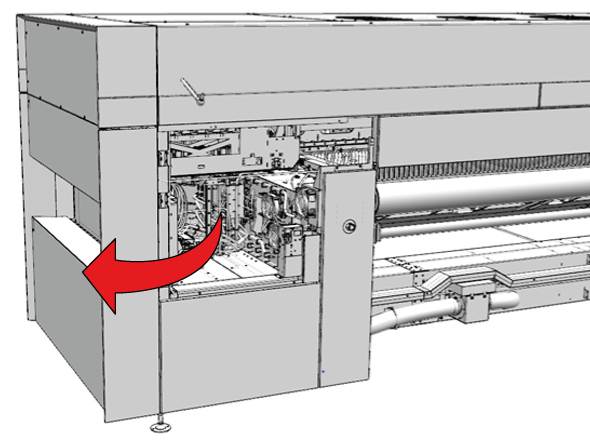
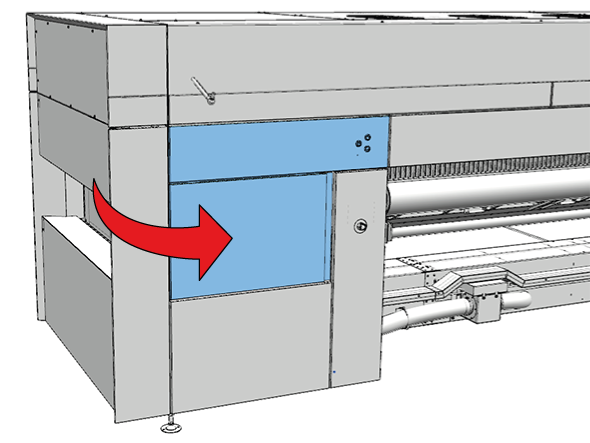
Open the manual maintenance door. |
|
|
5 |
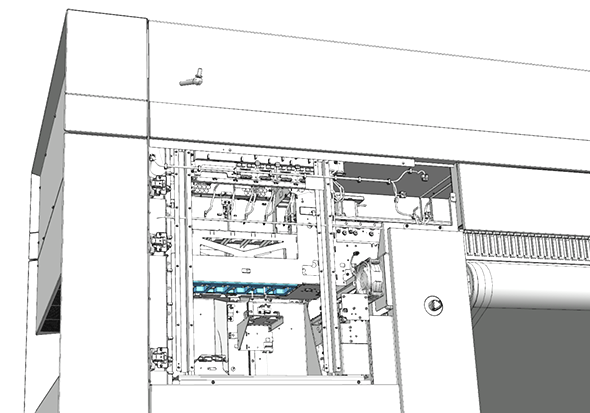
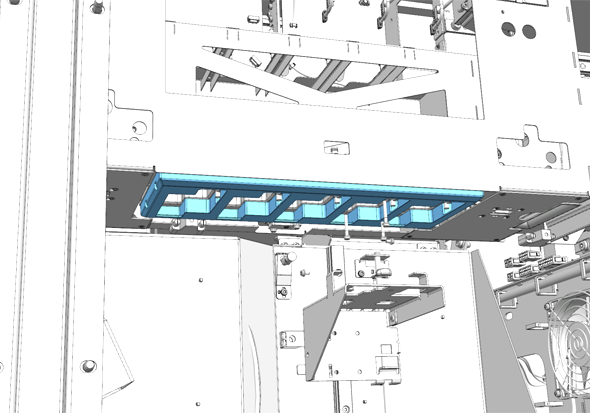
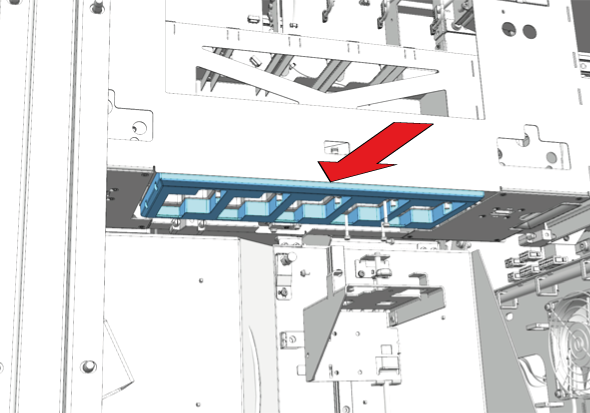
Locate the maintenance interface plate. The maintenance interface plate is attached to the bottom of the printhead carriage. |
|
|
6 |
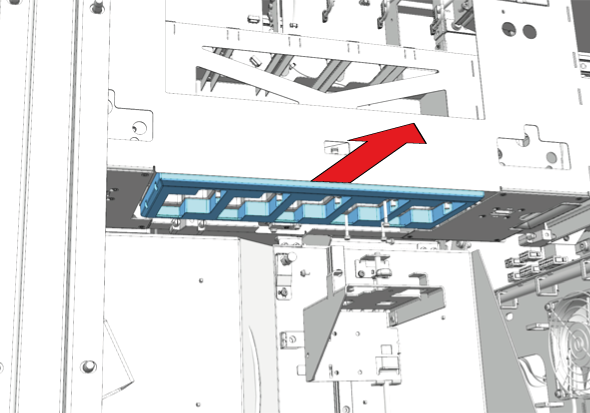
Remove the maintenance interface plate. The maintenance interface plate is attached with magnets, carefully pull it away from the printhead carriage. |
|
|
7 |
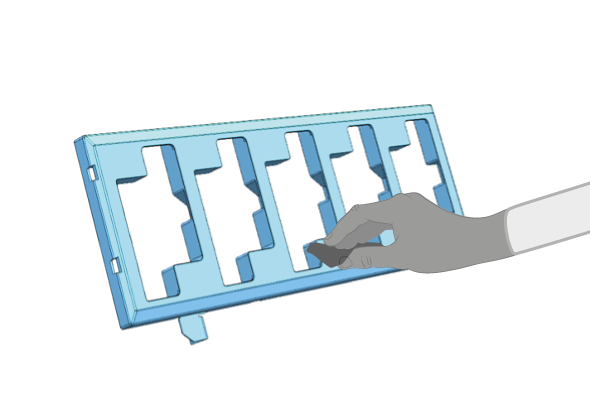
Dampen a lint free cloth with the cleaner IPA and clean te maintenance interface plate. Make sure that any dust or pollution is removed. |
|
|
8 |
Carefully place the maintenance interface plate back in its position. |
|
|
9 |
Dispose the gloves and cloths as chemical waste according to local regulations. |
|
|
10 |
Close the manual maintenance door. |
|