
The following operations can be performed on page level (with one or more pages selected):
Scale (to custom value, size or PDF box)

Change orientation

Convert a color page or the whole document to grayscale

Edit PDF boxes
 ([Media box], [Bleed box], [Trim box] )
Mask or erase content

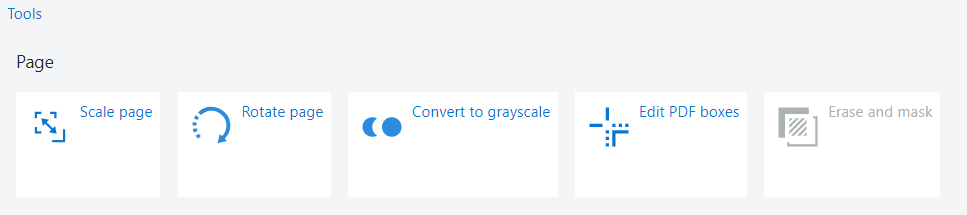
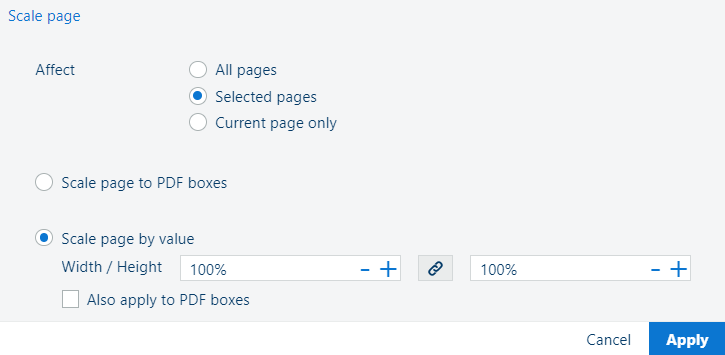
Select the pages.
Navigate to
.
Set up the size parameters described in the table below.
Press [Apply].
|
Parameter |
Description |
Possible values |
|---|---|---|
|
[Affect] |
Select the scope of the operation. |
|
|
[Scale page to PDF boxes] |
Adjust the page size to match the selected box.  NOTE This option is mutually exclusive with the next one. |
|
|
[Scale page by value] |
Adjust the page size to match the exact values mentioned. NOTE
This option is mutually exclusive with the previous one. |
[Width / Height] possible values are restricted to [25..400] % |
|
[Also apply to PDF boxes] |
All the available boxes are also scaled. NOTE
This option is only available for [Scale page by value]. |
Checked - all the PDF boxes are set to the same size as the page. Unchecked - PDF boxes are not changed. |
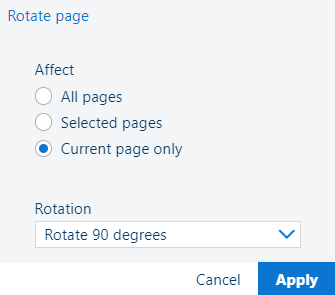
Select the pages.
Navigate to
.
Select one of the [Rotation] options:
[Rotate 0 degrees]
No rotation will be applied.
[Rotate 90 degrees]
Rotate the page(s) counter-clockwise 90 degrees.
[Rotate 180 degrees]
Rotate the page(s) 180 degrees.
[Rotate 270 degrees]
Rotate the page(s) clockwise 90 degrees.
Press [Apply].
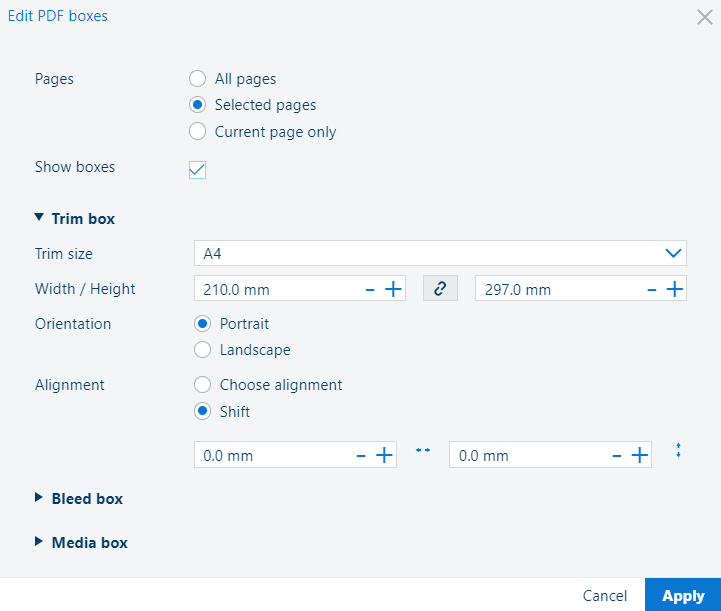
Select the pages.
Navigate to
.
Set up the parameters described in the table below.
Press [Apply].
|
Parameter |
Description |
Possible values |
|---|---|---|
|
[Pages] |
Select the scope of the operation. |
|
|
[Show boxes] |
Select the visibility of the PDF boxes. |
Checked - PDF boxes are visible. Unchecked - PDF boxes are not visible. |
|
Use the
NOTE
Only one of the settings sections can be expanded at any time. |
[Trim box] |
|
|
[Bleed box] |
||
|
[Media box] |
||
The [Trim box] settings
|
Parameter |
Description |
Possible values |
|---|---|---|
|
[Trim size] |
Pick the size of print media. |
Various predefined media sizes. |
|
[Width / Height] |
Press the
Press the
Use the +/- button to increase/decrease the value. |
0.1.. X (mm/") X is the maximum size of the sheet of paper on the horizontal axis. 0.1 .. Y (mm/") Y is the maximum size of the sheet of paper on the vertical axis. |
|
[Orientation] |
Pick the desired media orientation. Changing from one to the other possible setting will lead to the [Width / Height] being swapped. |
|
|
[Alignment] |
[Choose alignment] Pick the desired alignment. |
|
|
[Shift] X: how much should the object be shifted horizontally. Y: how much should the object be shifted vertically. |
[-1000..1000] (mm/") Positive values for X mean to the right, negatives - to the left. Positive values for Y mean upwards, negatives - downwards. |
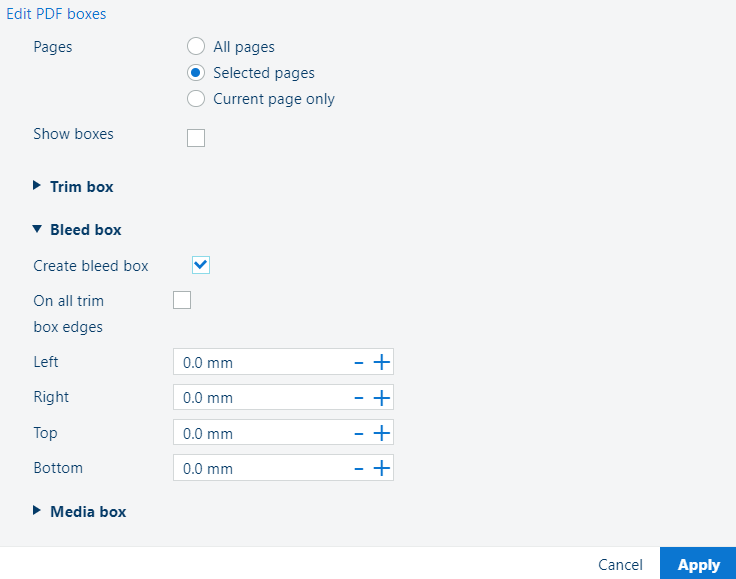
If the PDF contains no [Bleed box] you can add one.
Navigate to
and check the setting [Create bleed box] to have the rest of the options visible.
|
Parameter |
Description |
Possible values |
|---|---|---|
|
[On all trim box edges] |
Select if all the PDF boxes get changed together or not. |
Checked - Use the same [Distance] for the operation. Unchecked - you can adjust the values individually. |
|
[Left] |
The selected border is moved. |
[0..1000] (mm/") |
|
[Right] |
||
|
[Top] |
||
|
[Bottom] |
|
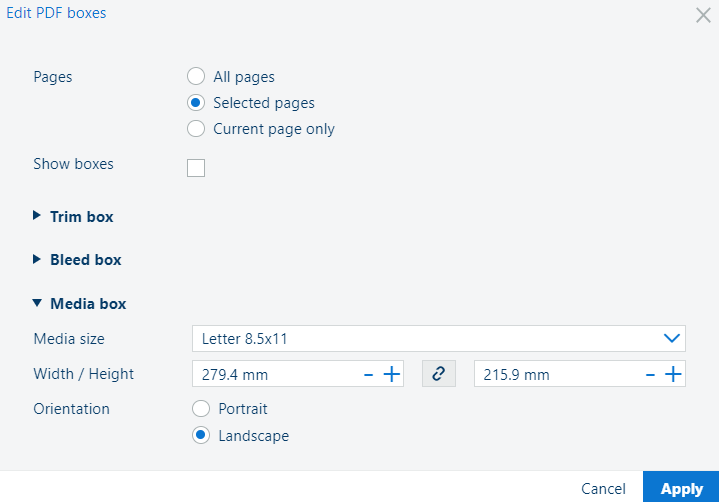
Parameter |
Description |
Possible values |
|---|---|---|
|
[Media size] |
Pick the size of print media. |
Various predefined media sizes. |
|
[Width / Height] |
Press the
Press the
Use the +/- button to increase/decrease the value. |
0.1.. X (mm/") X is the maximum size of the sheet of paper on the horizontal axis. 0.1 .. Y (mm/") Y is the maximum size of the sheet of paper on the vertical axis. |
|
[Orientation] |
Pick the desired media orientation. Changing from one to the other possible setting will lead to the [Width / Height] being swapped. |
|
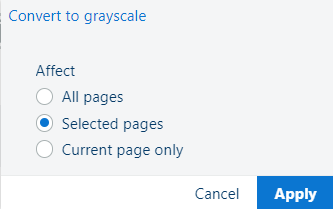
Select the pages.
Navigate to
.
Select the scope of the operation:
[All pages]
[Selected pages]
[Current page only]
Press [Apply].
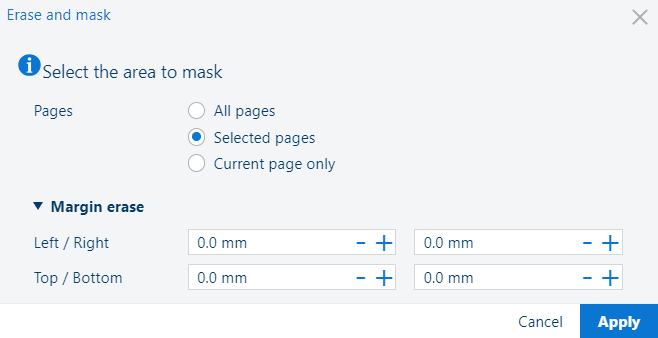
Select the pages.
Navigate to
.
Set up the parameters described in the table below.
Press [Apply].
|
Parameter |
Description |
Possible values |
|---|---|---|
|
[Pages] |
Select the scope of the operation. |
|
|
[Left] / [Right] |
How much should be erased from the edge of the paper. |
0.1.. X (mm/") X is the maximum size of the sheet of paper on the horizontal axis. Negative values mean "to the left", positive values mean "to the right". |
|
[Top] / [Bottom] |
0.1 .. Y (mm/") Y is the maximum size of the sheet of paper on the vertical axis. Negative values mean "up", positive values mean "down". |
 button to expand the settings for the desired box:
 button to keep
 button to change the value for