
The inline scanner (ILS) detects the position and dimensions of the media, and scans test charts to ensure stable print quality.
The ILS lighting module contains 2 glass plates. You must clean these glass plates to ensure that the ILS functions optimally.
Use Colorado XL-series prescribed:
Microflex gloves for handling UVgel
Lint free cloths
Cleaning liquid IPA
Surface cleaner
 CAUTION
Always wear protective gloves when opening the covers of the machine.
CAUTION
Wear gloves when contact with ink or maintenance materials is possible. Gloves should always overlap sleeves. Follow the ink related Safety Data Sheets (SDS) guidelines carefully in order to ensure maximum safety.
|
1 |
|
|
|
2 |
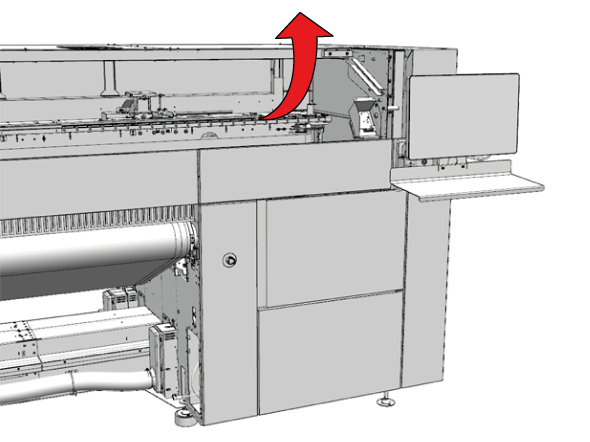
Go to the output side of the printer and open the top cover. |
|
|
3 |
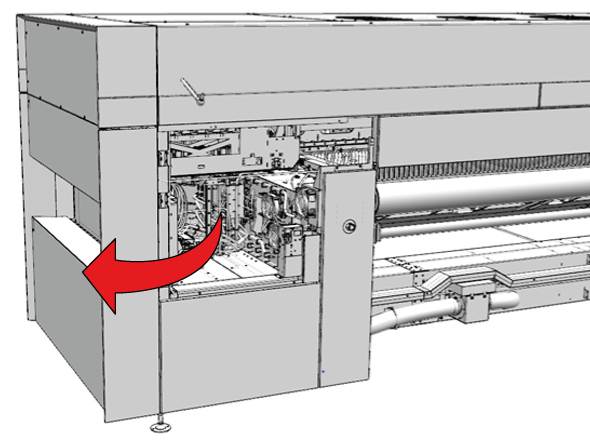
Open the manual maintenance door. |
|
|
4 |
Put on the Colorado XL-series approved gloves. |
|
|
5 |
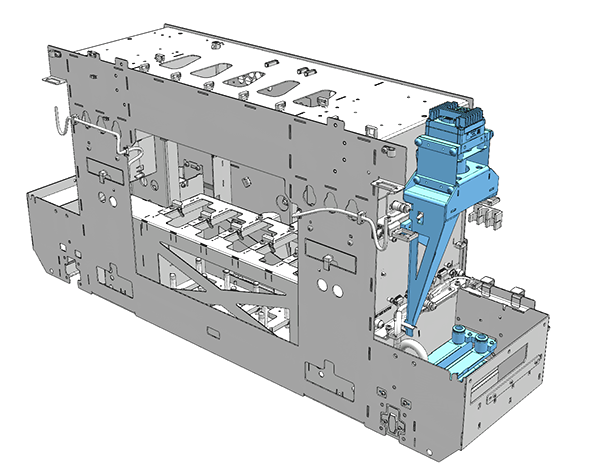
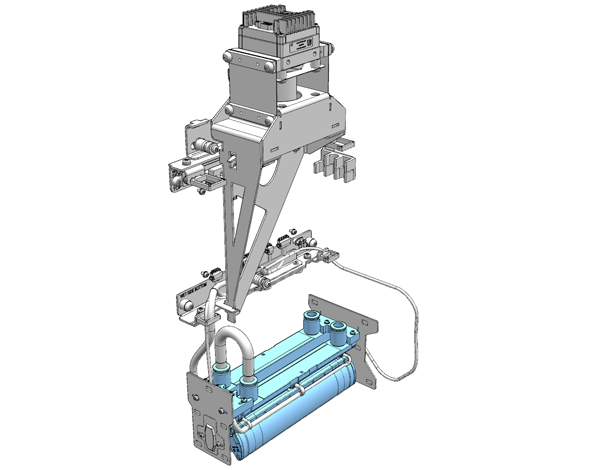
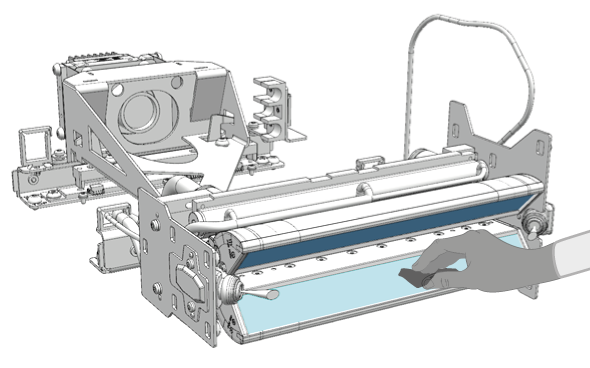
Locate the ILS module and the glass plate. The ILS is located on the right-hand side of the printhead carriage. The LED unit that contains the LEDs and glass plate is located at the bottom of the printhead carriage. |
|
|
6 |
Dampen a lint free cloth with the cleaner IPA and clean any UVgel off both glass plates.  NOTE NOTE
Take care not to damage the LEDs located near the glass plates. |
|
|
7 |
If any acrylate pollution is on the glass plates, dampen a lint free cloth with surface cleaner and clean both glass plates again. |
|
|
8 |
Wipe away any residue with a dry lint free cloth. |
|
|
9 |
Dispose the gloves and cloths as chemical waste according to local regulations. |
|
|
10 |
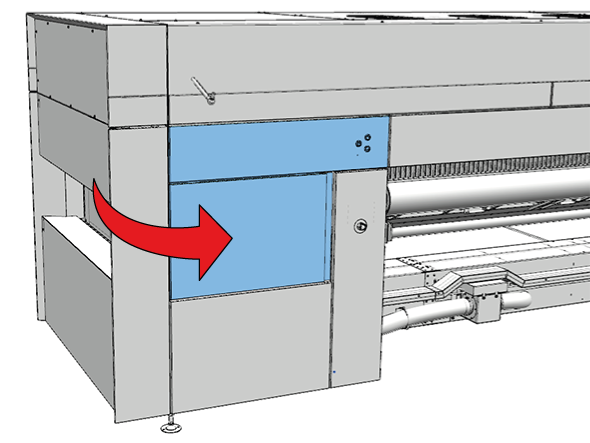
Close the manual maintenance door. |
|
|
11 |
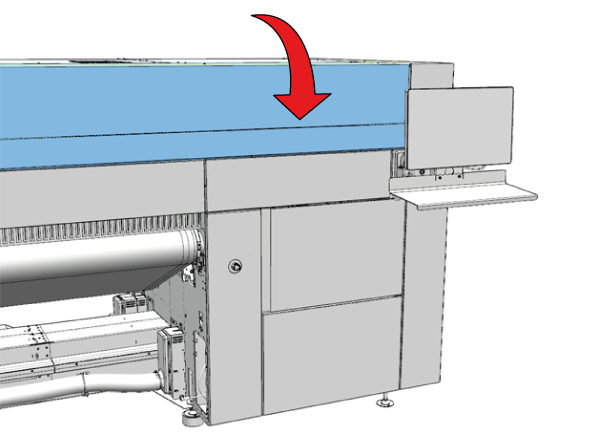
Close the top cover. |
|
|
12 |
|