
|
No |
Component |
Description / Function |
|---|---|---|
|
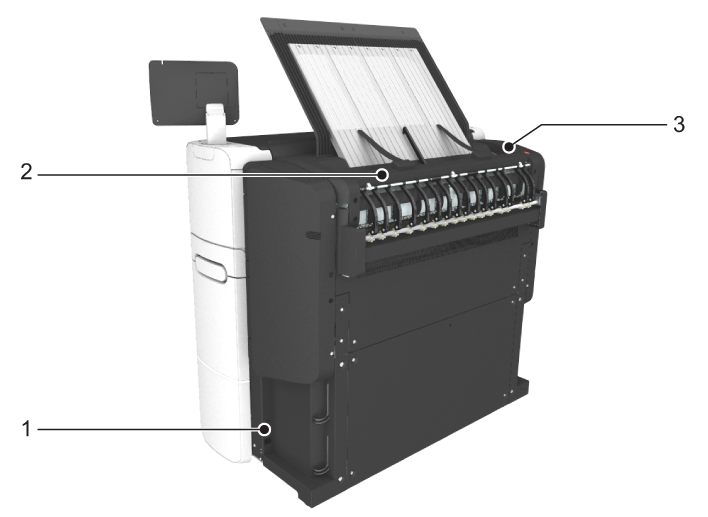
1 |
[power switch] |
Switch the main power supply on or off. You can find the serial number of the printer on the sticker next to the power switch. |
|
2 |
[upper back cover] |
Open the upper back cover with the media jam clearance handle, when you want to access the heater section in case of a media jam. |
|
3 |
[media jam clearance handle] |
Use this handle to access the paper in case of a paper jam in the heater section. |