
In the [Modifications] screen you see installed and uninstalled modifications.
This section shows the modifications that have not yet been implemented. Click an individual modification to see extra information on the right side of the screen.
The table displays the following information:
[Action] ([Done] or [Postpone] )
[Mod/FCO]
[MRI]
The [MRI] (short for "Machine Resource Identifier") indicates the specific hardware that underwent modification. In this particular case, the entities involved are the printer and the controller.
[Name]
[Scheduled]
 NOTE
NOTE
When an item on the worklist shows a scheduled date, this means that the item was scheduled via the maintenance scheduler in PRISMAservice (On Remote Service) of the CPP backoffice. An agreement with the customer has been made to execute the maintenance item on a fixed date.
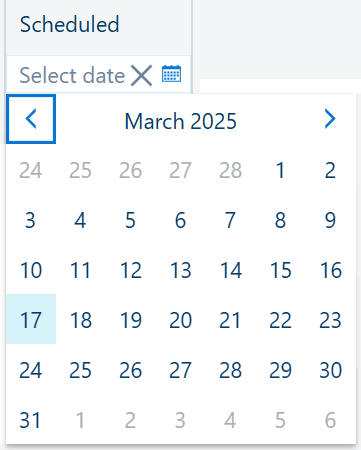
This field denotes a date, allowing you can apply a filter by choosing your desired date from the calendar selector, which appears when you click the calendar icon
 :
:
 NOTE
NOTE
Press the
 icon if you want to remove the date filtering.
[Type]:
Safety
Mandatory
Advised
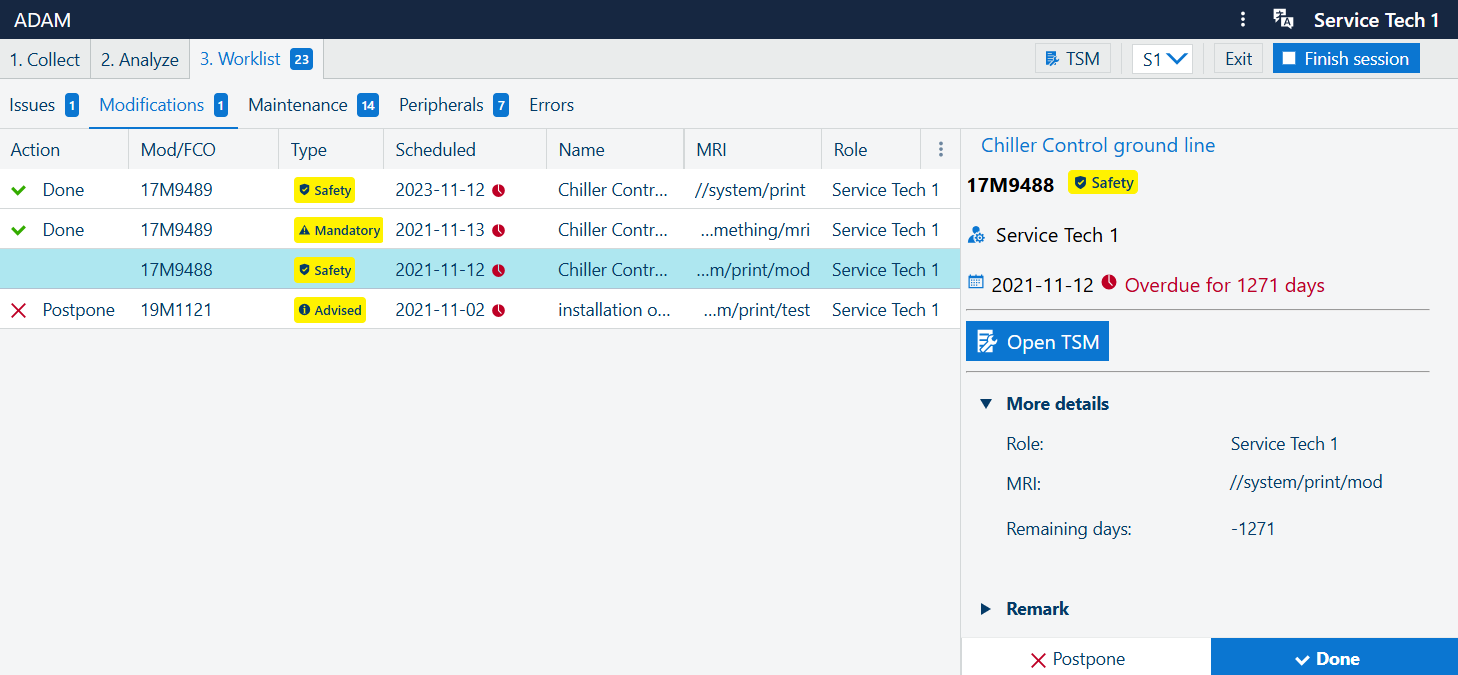
The left-hand-side panel shows some extra details for the selected issue in the main list. The title is taken from the , followed by read-only information about [eKOM/Technician ID] and the [Job reference].
You can:
(if available)
 [Add to worklist]
Open the TSM page with relevant details.
(if available), open the dialog to adjust the quantity of the parts needing replacement
(if applicable) See the table with [Replaced parts]
Add an optional [Remark]
To the bottom of this panel, you can use the default actions
[Postpone] and
 [Done] to close the issue. The status of those two bottons is dependent on the value of the [Action]: initially, the [Action] is empty, and both buttons are enabled. When one of the resolutions is provided, the corresponding button becomes disabled (greyed-out), and only the opposite action remains possible.
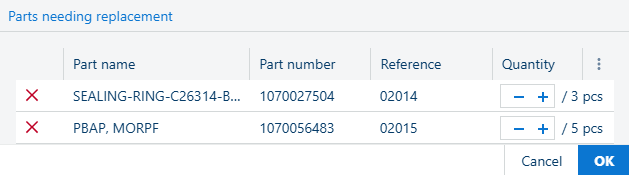
Use the + and - to increase/decrease the number of parts.
Use the
to remove the part from the list
Press the [OK] when done, or [Cancel] to exist and discard the changes.