
Normally you use the recommended media for the automatic gradation adjustment for an optimal print quality.
When the recommended media is not sufficiently available, you can use custom media for automatic gradation adjustment. Automatic gradation adjustment uses an internal sensor to register the custom media.
 IMPORTANT
For an optimal print quality on custom media, you are advised to register the custom media you use mostly.
For the registration of custom media you also need some sheets of the recommended calibration media. At the end of the registration procedure you can decide if you want to use the registered custom media for automatic gradation adjustment.
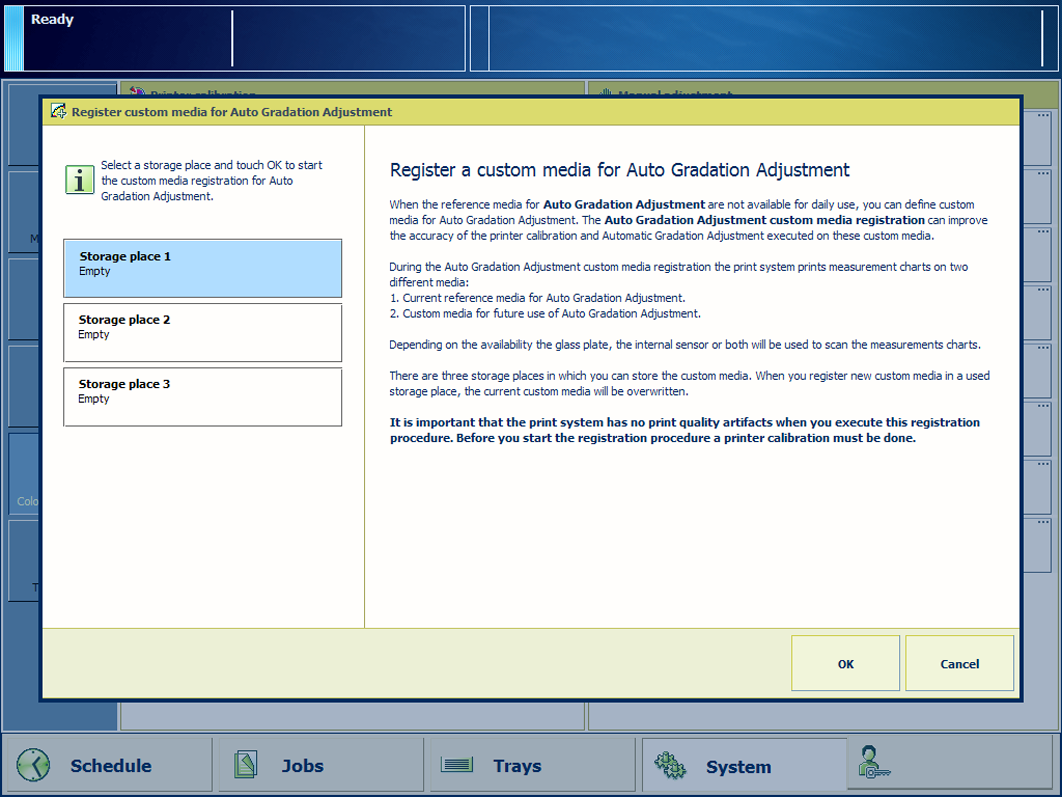 The storage place for custom media on the left-side
Prepare approximately 20 sheets of the recommended calibration media. These sheets are used as reference media during the procedure.
Prepare approximately 20 sheets of the custom media.
Calibrate the printer.
IMPORTANT
You must always perform a printer calibration before you continue with this procedure.
Check the print quality to decide if you want to proceed.
IMPORTANT
Make sure the print system has no print quality artifacts when you execute this registration procedure.
Touch
Touch [Register custom media].
Select a storage place to store the custom media.
Touch [OK].
Follow the instructions on the control panel.
Indicate if you want to apply the custom media for the automatic gradation adjustment.
Close the menu.
You can find the media for standard automatic gradation adjustment in the Settings Editor. Location: .