
In the [Settings and counters] screen you can view all settings and counters of this system.
Use the top navigation toolbar to navigate in the list of snapshots. ([First] /[Last] to reach one of the ends of the interval, or [Next] /[Prev] to change the position by 1).
The list can be sorted by clicking on the header.
You can restrict the content of the list using the filters.
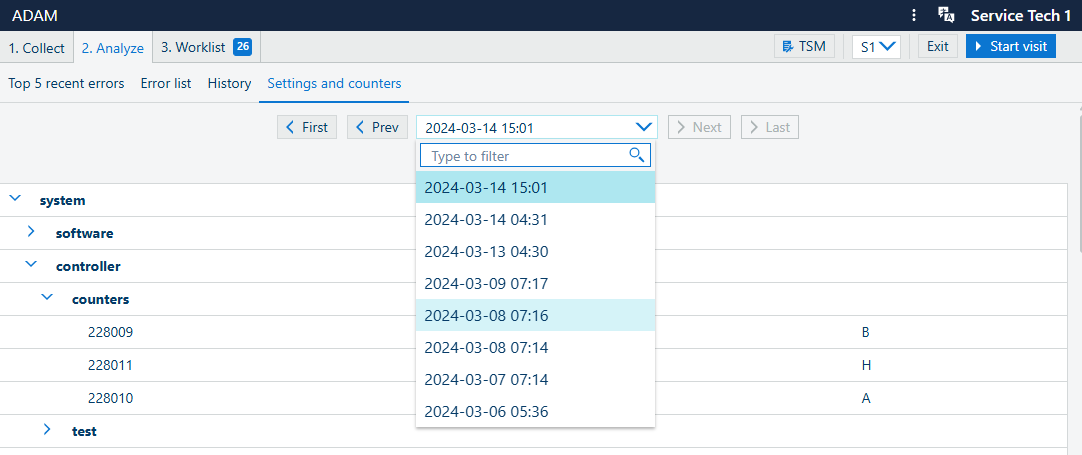
You can browse through different service visits. At the end of every service visit, the [Settings and counters] are saved.