Introduction
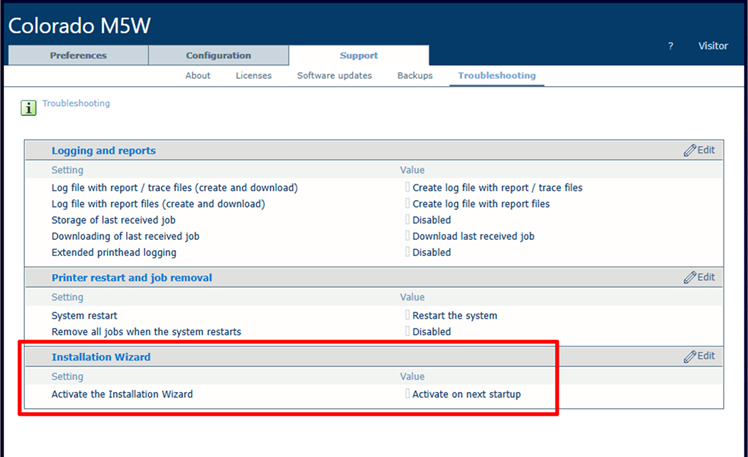
A system administrator can activate the installation wizard for the printer from the settings editor. When you activate the installation wizard, it will open at the next startup of the system.
Procedure
-
Open the settings editor.
-
Go to [Installation wizard].
-
Click on [Activate the installation wizard].
-
Confirm that you want to activate the installation wizard. The installation wizard will open at the next startup of the system.