
The printer uses a ruler to control the printhead carriage. A polluted ruler interferes with control of the printhead carriage. In case of pollution, you can clean the ruler.
Use Colorado XL-series prescribed:
Microflex gloves for handling UVgel
Lint free cloths
Cleaning liquid IPA
 CAUTION
Always wear protective gloves when opening the covers of the machine.
CAUTION
Wear gloves when contact with ink or maintenance materials is possible. Gloves should always overlap sleeves. Follow the ink related Safety Data Sheets (SDS) guidelines carefully in order to ensure maximum safety.
|
1 |
On the user interface, tap on [Maintenance], then [Open top cover]. |
|
|
2 |
Go to the output side of the printer. |
|
|
3 |
Put on the Colorado XL-series approved gloves. |
|
|
4 |
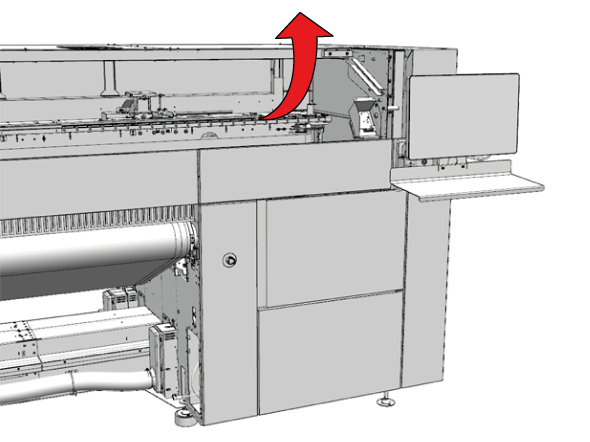
Open the top cover. |
|
|
5 |
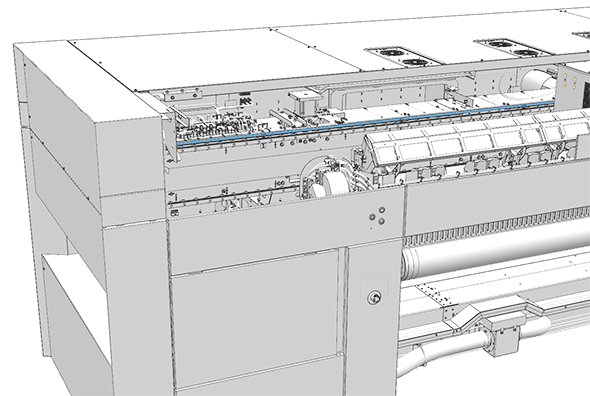
Locate the carriage ruler. The carriage ruler is located on top of the printhead beam and runs along its entire width. |
|
|
6 |
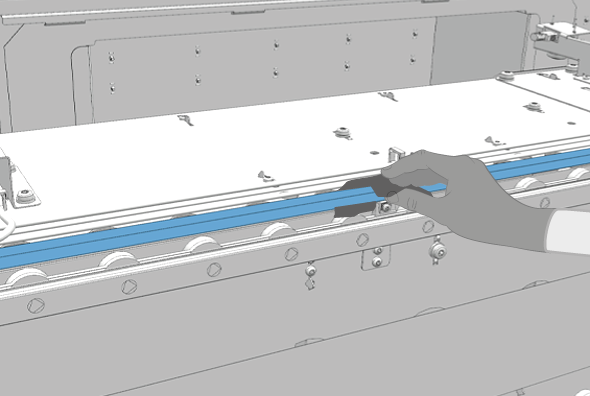
Dampen a lint free cloth with the cleaner IPA and clean the ruler from one side to the other. Make sure that the lint free cloth covers the front and back of the ruler.  NOTE NOTE
Do not use force to clean the ruler. This could damage the ruler. |
|
|
7 |
Carefully move the printhead carriage out of the way so you can clean the entire ruler. |
|
|
8 |
Dispose the gloves and cloths as chemical waste according to local regulations. |
|
|
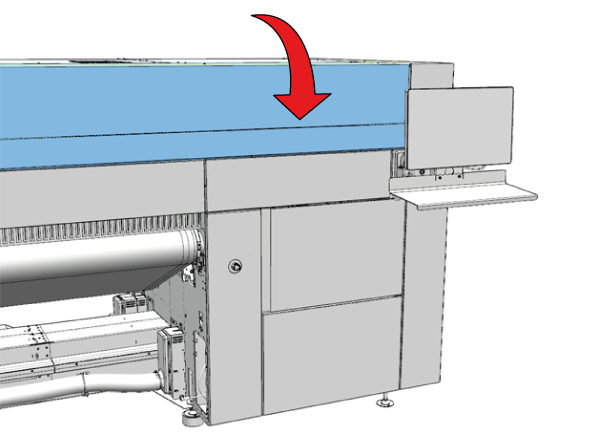
Close the top cover. |
|